



Retail POS and store management software — fast checkout, accurate stock
Sales management for fashion shops, grocery stores, mini-marts and cosmetics stores. Scan barcodes to check out instantly and control inventory in real time across every branch.
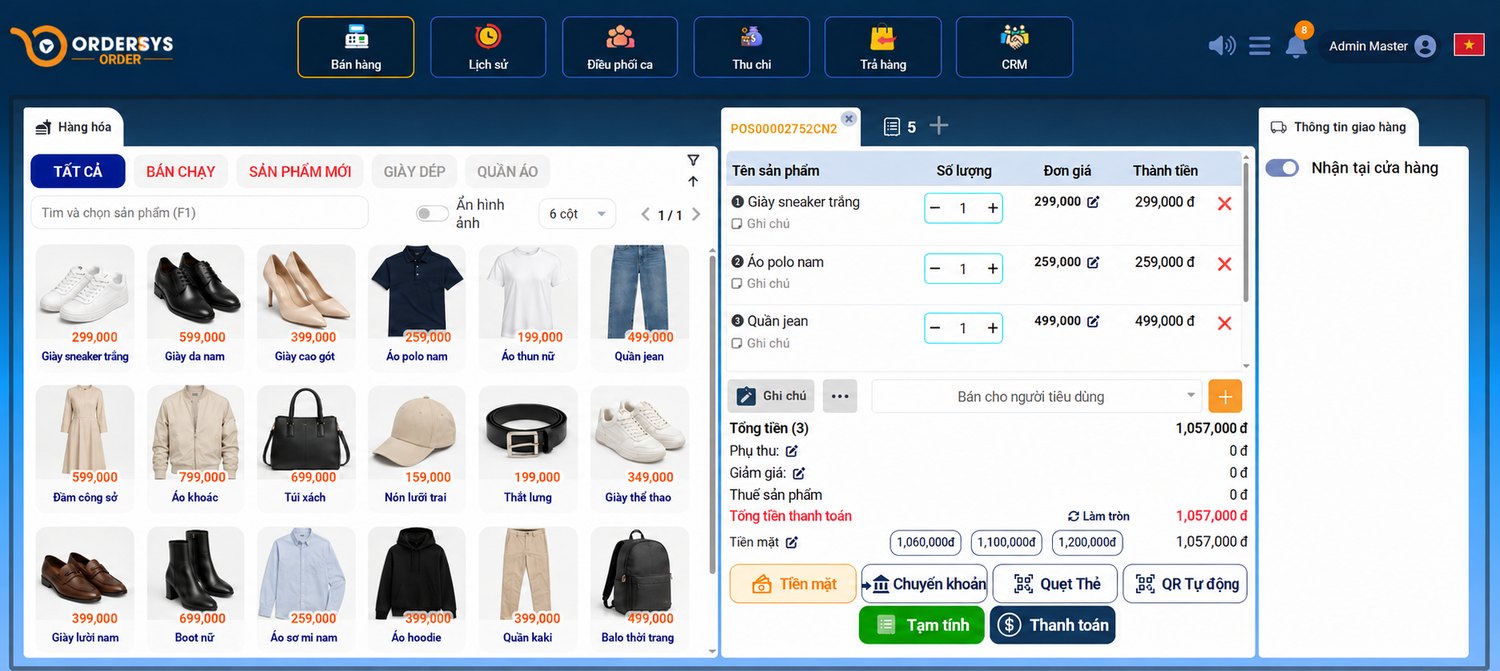
Lightning-fast checkout
Scan barcodes, search items by name and accept multiple payment methods (cash, card, VietQR, e-wallet). A simple cashier interface new staff can use right away.
- Barcode scanner & touch screen
- Napas VietQR / Visa / Master
- Fast, tidy receipt printing
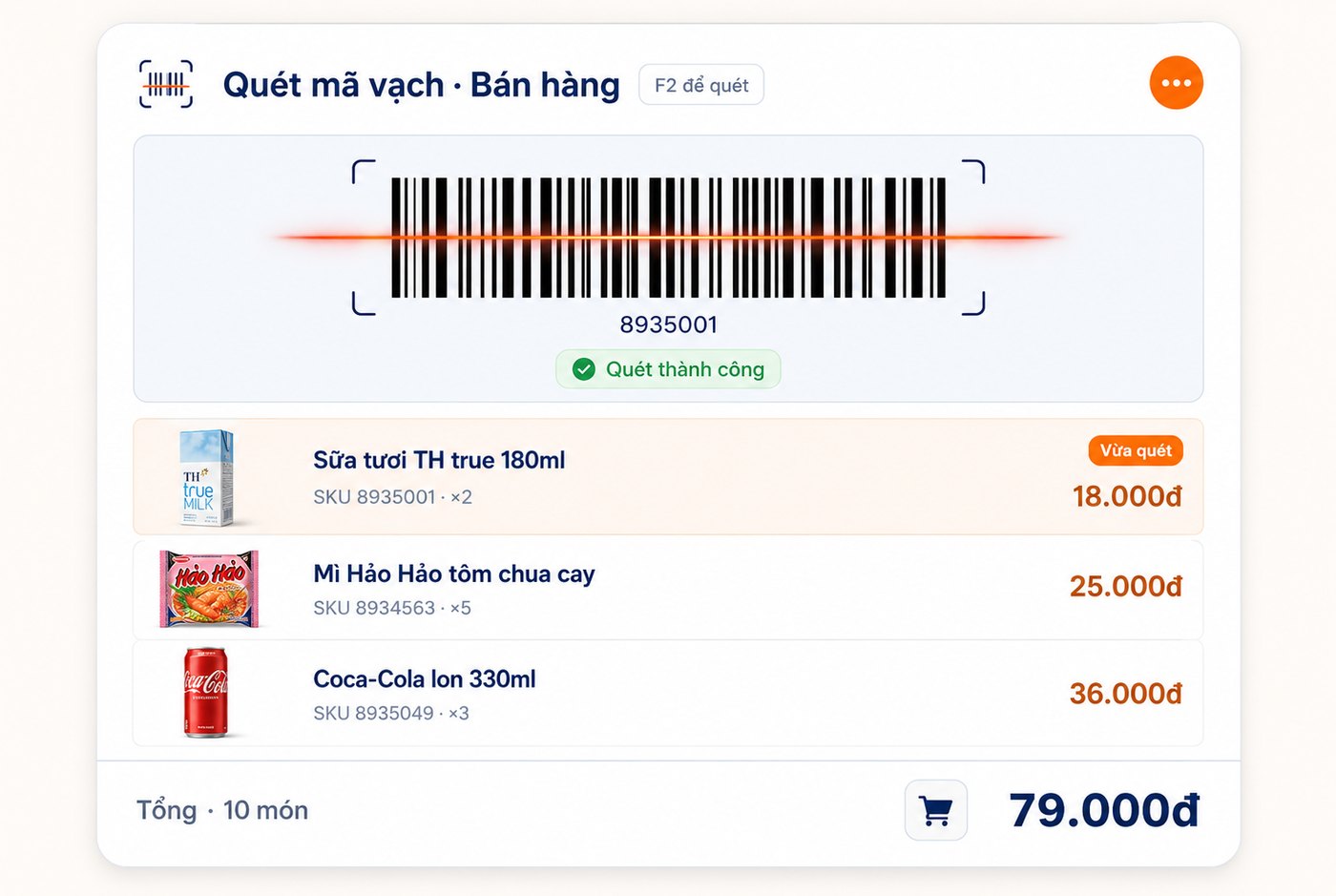
Stock by size, color, SKU
Track inventory accurately by model and attribute. Fast stocktaking, out-of-stock alerts, and cost & supplier management.
- Size / color / material attributes
- Stocktake, in – out – transfer
- Minimum stock alerts
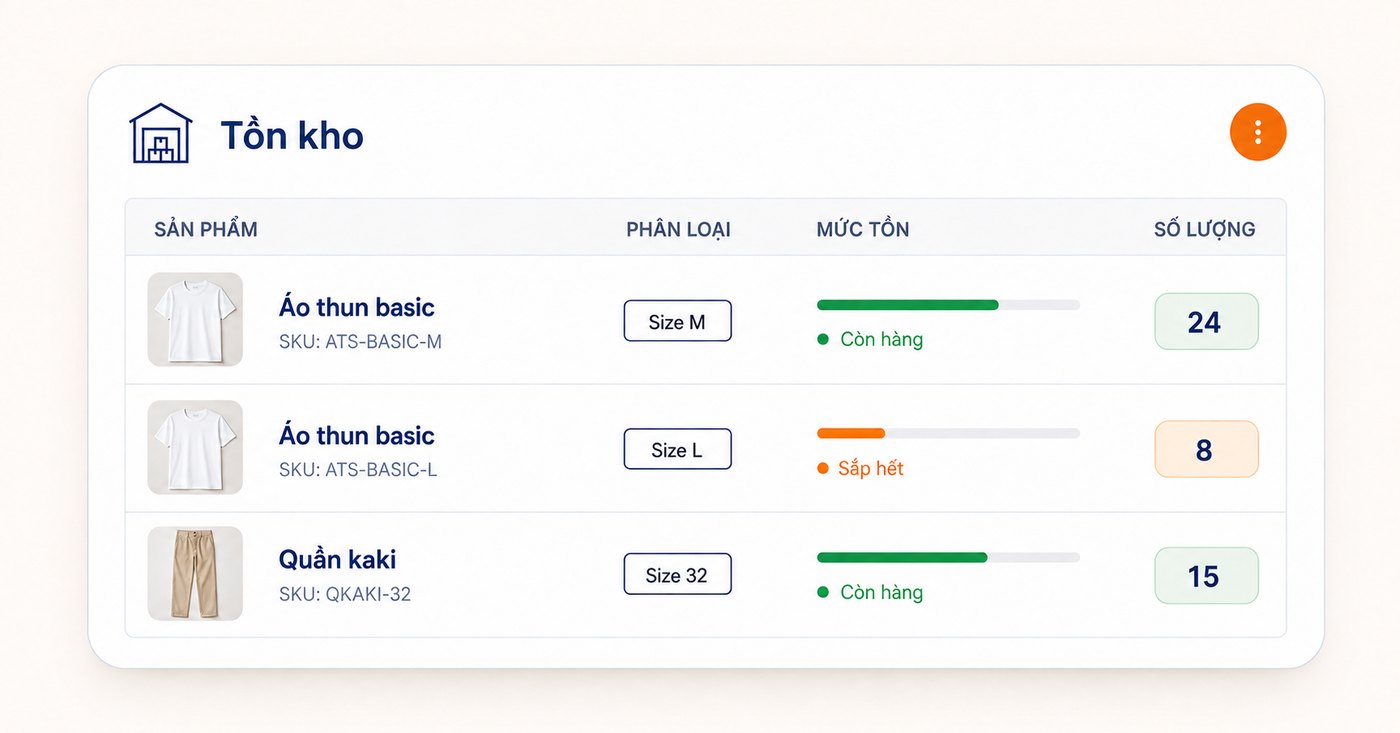
Multi-branch management
Sync inventory, revenue and customers across sales points in one system. Internal stock transfers and centralized operation.
- Instant data sync
- Stock transfer between branches
- Per-store permissions
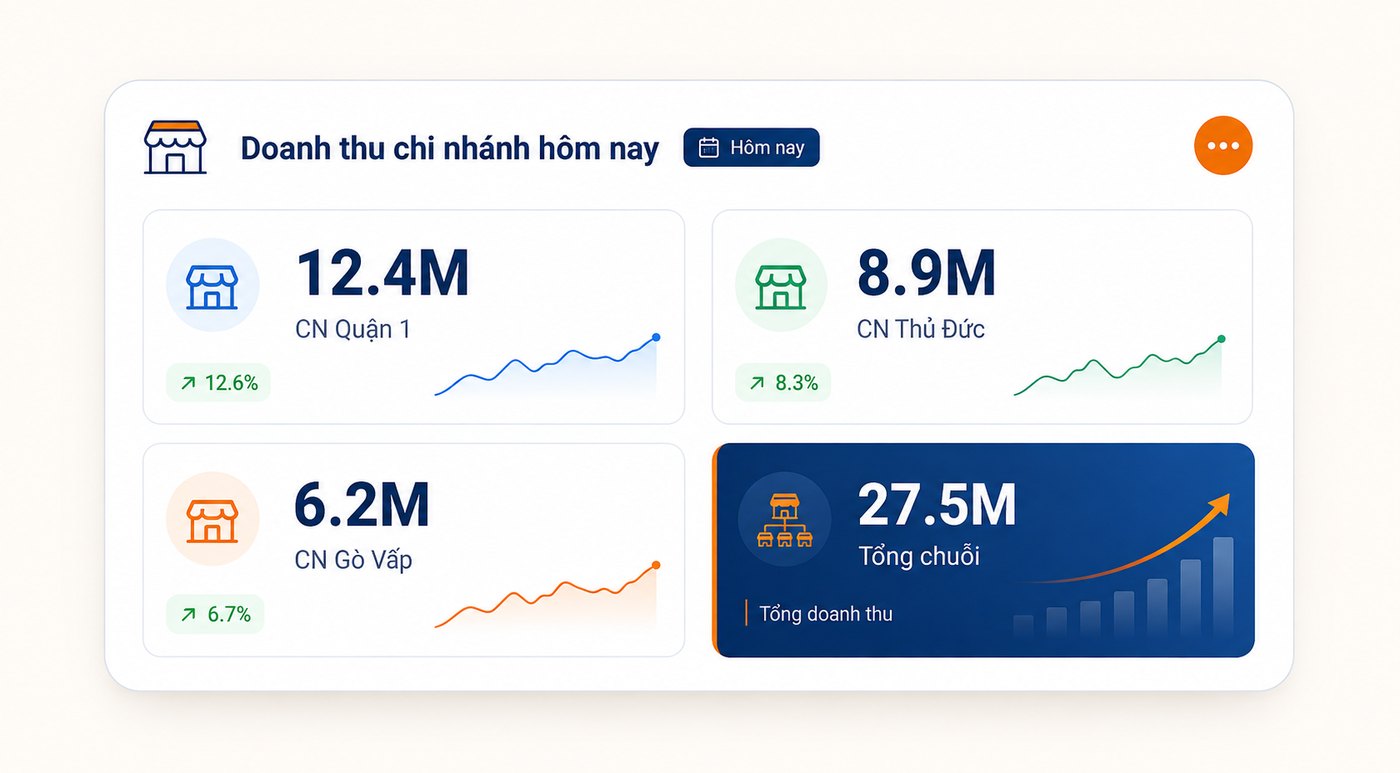
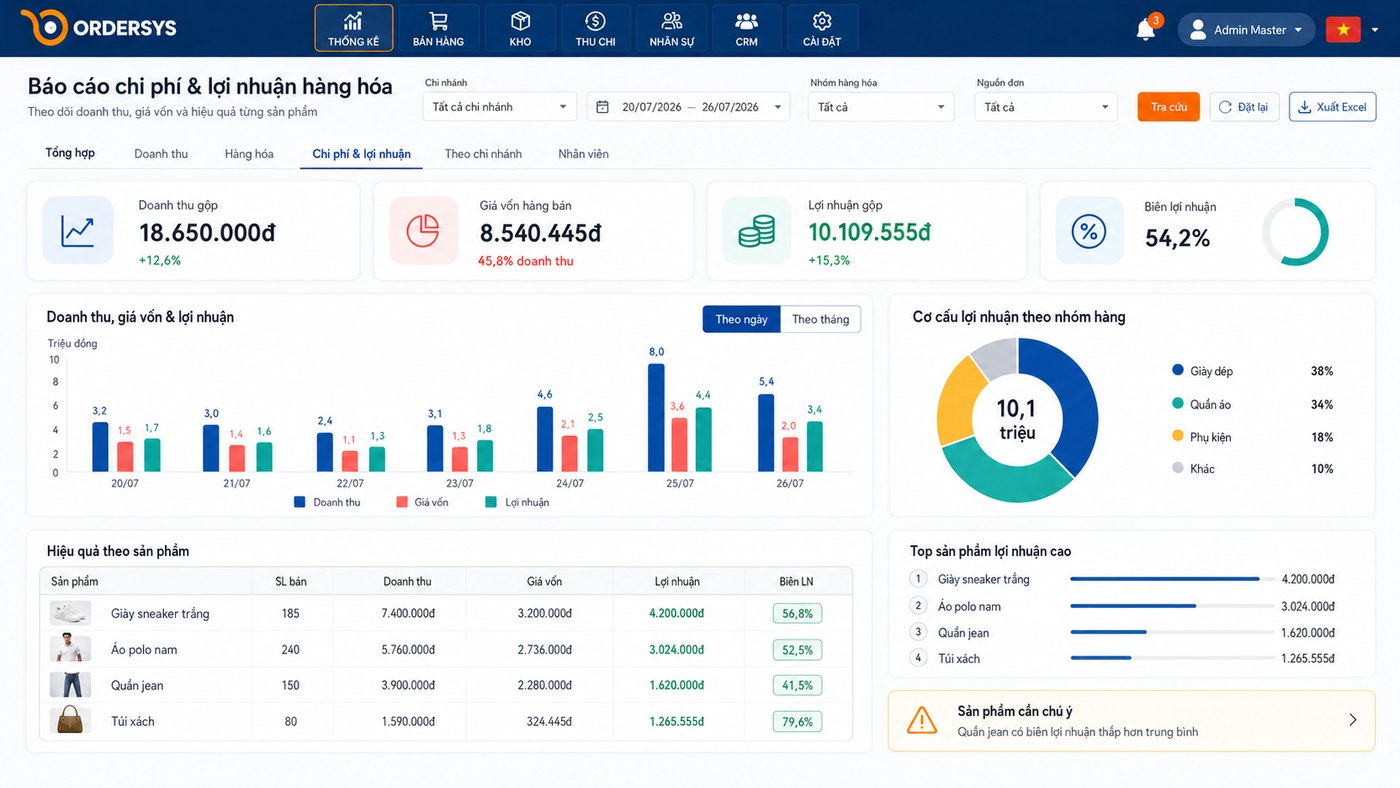
Revenue & profit reports
Track revenue, profit, and best- and slow-selling items in real time with intuitive charts to guide your purchasing decisions.
- Revenue by day / week / month
- Top-selling items
- Gross margin by product
A fit for every retail model
Stocktaking and creating orders used to be a maze because of the sheer number of items and easy mix-ups. Since switching to Ordersys, everything is handled neatly by the system and I feel much more at ease.
Every kind of shop manages stock differently
Retail covers very different operations. Ordersys is configured per category instead of forcing the shop to follow the software.
Fashion and footwear
One shirt in five sizes and four colours is twenty separate items, each with its own stock. Retail software has to count stock per attribute rather than lumping it into one line. At end of season you also need to know which size and colour are sitting still, so you discount those rather than the whole batch.
Grocery and mini-markets
Thousands of items and a queue at the counter, so scanning speed decides everything. The barcode scanner brings up the price instantly. Items with expiry dates are tracked by batch, so you know which batch to move first instead of discovering a whole case has expired.
Cosmetics and high-value goods
Each item is worth a lot, so a single loss hurts. The software records who sold what, in which shift, at what price — enough to trace back when the count does not match. Expiry alerts come months ahead, leaving time to run a promotion rather than dump stock.
Multi-store chains
Stock sits in several places at once. One store is out of size M while another still has it — without a single view you either lose the sale or reorder what you already own. Ordersys syncs stock across locations, moves it between them and centralises reporting.
A day at a shop running Ordersys
Not a feature list — this is the order things actually happen in a real day.
Opening the shift
Staff log in, open the shift and enter the opening float. From then on every sale is tied to that shift and that person, so who sold what and took how much is traceable.
Selling
Scan the barcode, the price appears, stock is deducted at the moment of sale. If a customer asks for another size, you can see stock at other branches too. Print the receipt and issue an e-invoice if needed.
Receiving and stocktaking
Goods received are scanned in rather than typed line by line. Stocktaking is done by scanning, and the software reconciles against the system and points to the gaps.
Closing and margins
Close the shift and revenue is totalled by payment method and reconciled against the cash in the drawer. Gross margin is reported per item, so you can see what sells fast on thin margin and what sells slowly at a good one.
Why the book and the shelf disagree
Every shop meets this at stocktake: the book says thirty, the count says twenty-seven. Nobody knows where three went, because the discovery comes a month after the loss.
The gap usually is not one big theft but many small things: sold and not recorded, returns not logged, breakages discarded while the book still counts them, wrong quantities received, or one product entered twice under different names.
Software does not prevent any of that. What it does is record each event with its time and the person involved, so when the count is off you can trace which day and which action caused it — instead of only knowing that something is gone.
E-invoices under Decree 70/2025
Since 1 June 2025, household businesses with annual revenue of 1 billion VND or more selling directly to consumers must use e-invoices generated from a cash register. Most retail shops sell directly to consumers, so they fall under this once revenue crosses the threshold.
Ordersys issues e-invoices right on the selling screen, attached to the order just paid, so sales figures and invoice figures always agree.
Not sure whether your shop is covered? Check for free in 30 seconds →
What Ordersys retail software does for your store
Retail software is sales management for shops selling directly to consumers: fashion, grocery, mini-marts, cosmetics, pharmacies, phone shops. Its real job is three things that happen every day — sell fast at the counter, know exactly how much stock is left, and know the day’s profit at closing.
Ordersys manages the store from receiving to selling: scan barcodes into stock, print price labels, sell with a scanner or touch screen, deduct stock the moment an item is sold, and warn about low stock and items nearing expiry. Customers are saved by phone number for loyalty points, purchase history and promotions.
Multi-branch stores share one product catalogue, transfer stock between branches and see each branch’s report on one screen. E-invoices are issued right inside the POS, with no re-entry into accounting software.
Answers about the retail and store management software
Can the software manage items by size and color?
I have several branches — how do I manage them?
Does it connect to barcode scanners, scales and printers?
Can I still sell when the internet is down?
Is the trial free?
How much does the retail software cost?
Can I use the store management software on my phone?
Free 7-day trial
Experience the full feature set with no setup fee. The Ordersys team supports on-site installation & training.
