



Cafe and bubble tea shop software — cup labels, toppings, customer display
Cafes and bubble tea shops sell lots of small drinks packed into peak hours, each with its own size, sugar, ice and toppings. Ordersys turns those choices into buttons, prints a label for every cup and lets customers check their order on a second screen — a different way of working from a table-service restaurant.
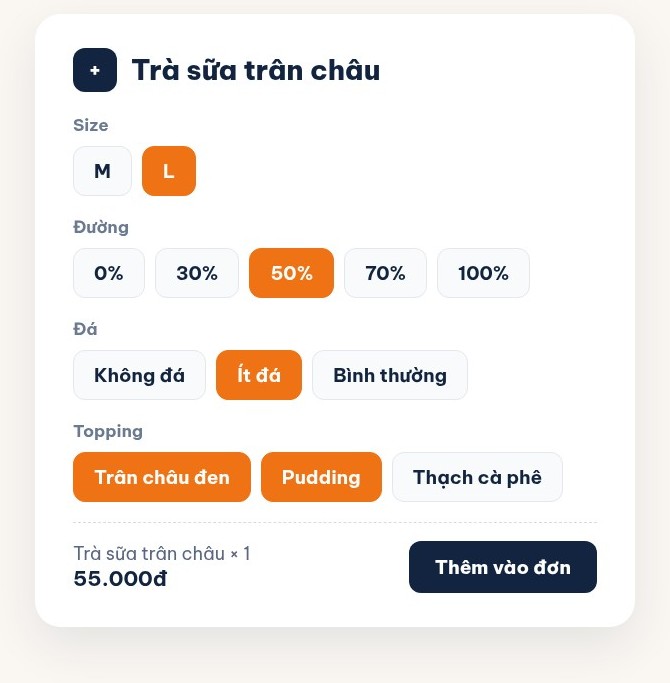
Size, sugar, ice and toppings as buttons
A bubble tea can come with a size, sugar level, ice level and two or three toppings. Staff pick them with buttons instead of typing notes, topping prices add straight onto the cup, and every choice travels with the order to the bar.
- Topping prices added automatically
- Choices shown on the ticket and label
- No typing notes at peak hours
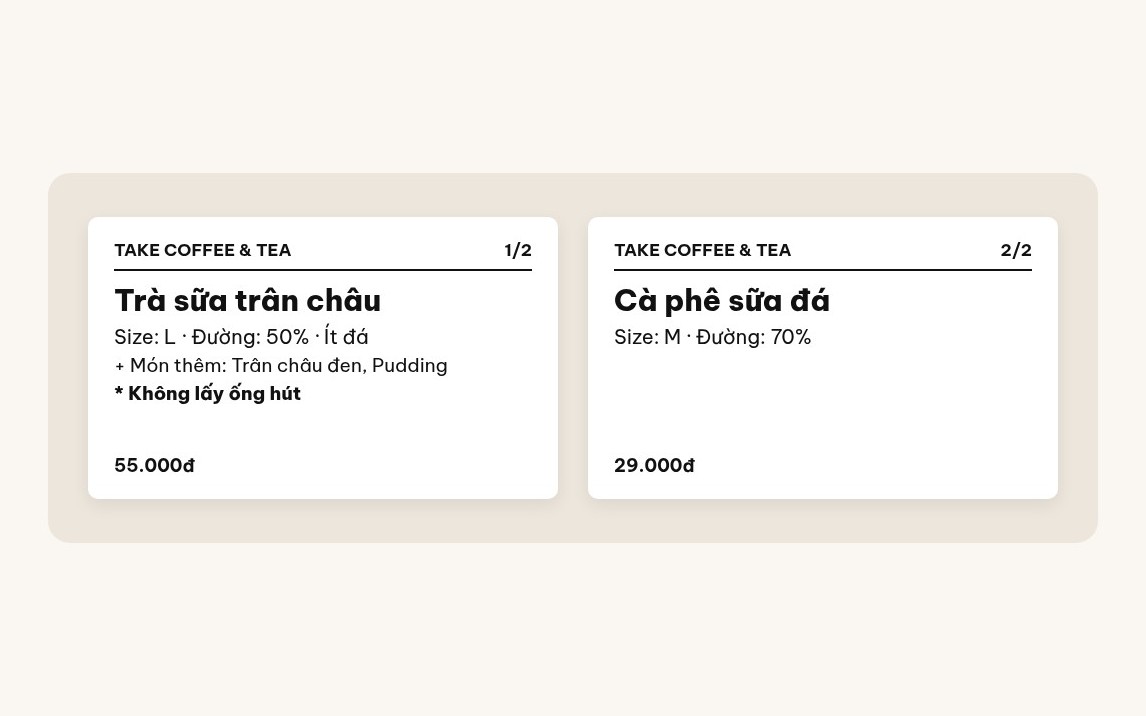
A label for every cup
Turn on label printing for the drinks that need it. As soon as an order is entered, the label printer produces one label per cup with the drink name, size, sugar level, add-ons and note. The barista reads the label to make it right; whoever hands it over reads the label to give it to the right customer.
- Label counter 1/3, 2/3, 3/3
- Item notes printed in bold
- Roll labels 30×50mm or 30×150mm, reprintable
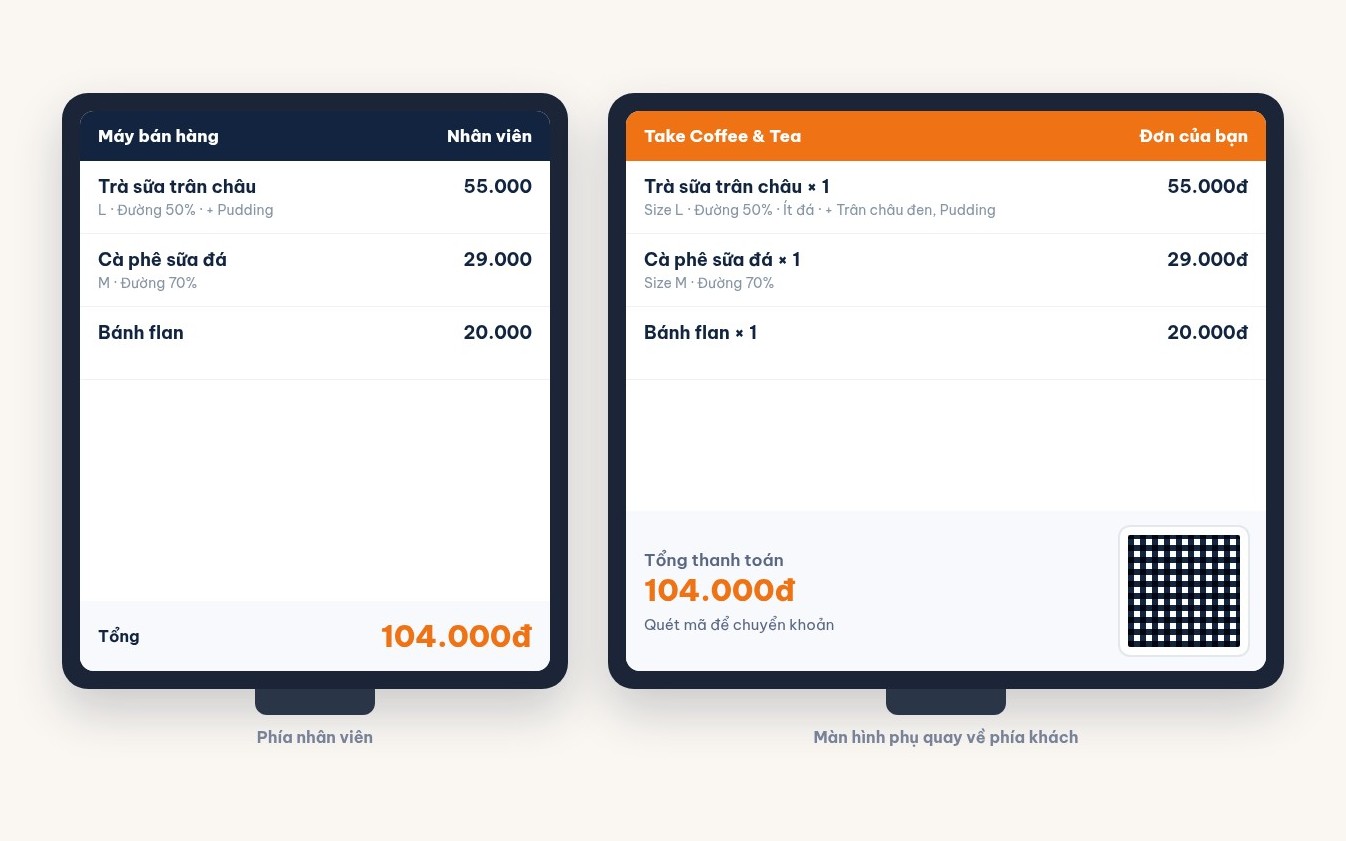
A display that faces the customer
Customers see every drink with its options and the total as staff enter it, so a wrong size or missing topping is caught before it is made. A bank transfer QR code appears right in the total panel; when no one is ordering, the screen plays promotions.
- Cart updates instantly
- Transfer QR in the total panel
- Customers rate after paying
Recipes that deduct ingredients on every sale
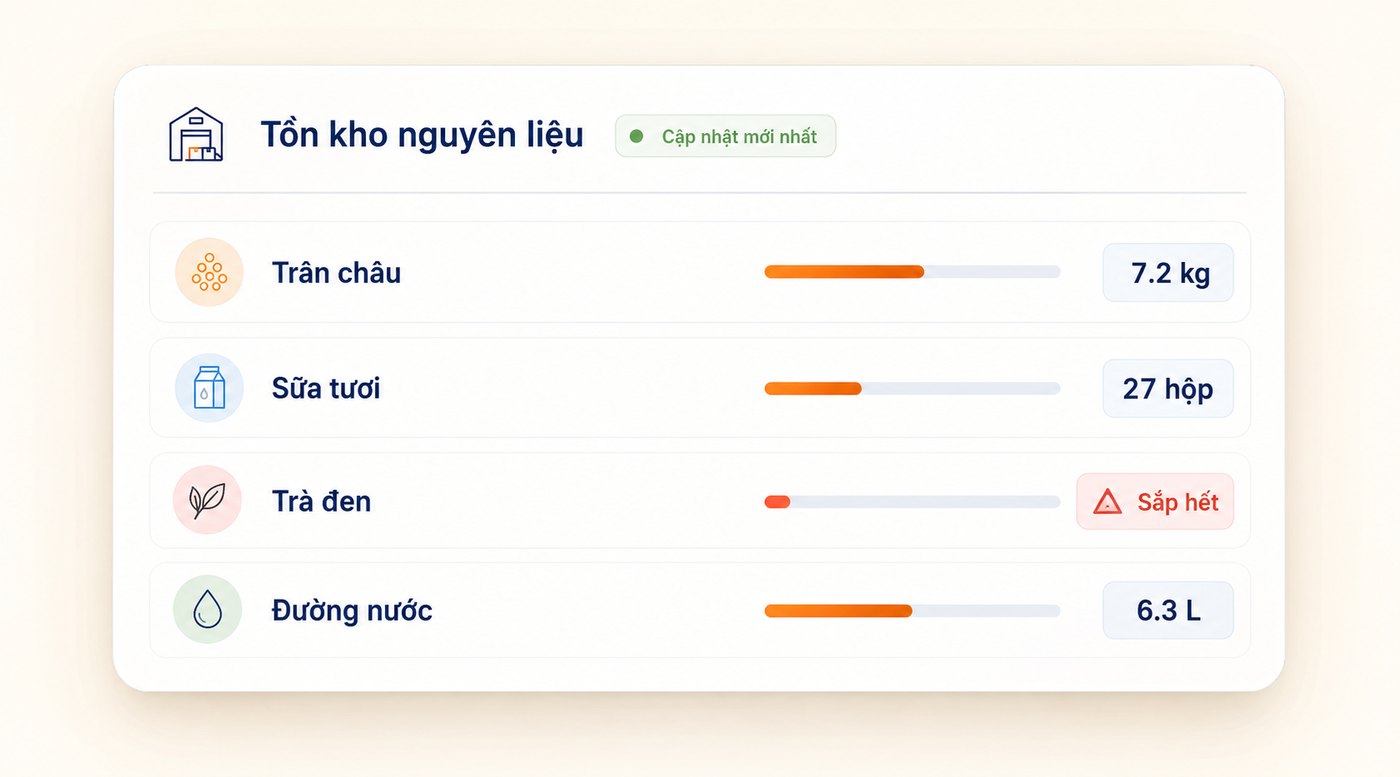
Set a recipe for each drink: how much tea, milk, sugar and pearls. Every cup sold deducts exactly that from stock and warns you when an ingredient is running low, so you know what each cup really earns after ingredients.
- Stock deducted by recipe
- Low ingredient warnings
- Cost per cup
How cafe and bubble tea software differs from restaurant software
A restaurant revolves around a table map and several kitchen stations. A cafe or bubble tea shop revolves around speed at the counter and drinks with individual options. Four differences:
Small orders packed into peak hours
A restaurant table orders many dishes in one long order. A cafe takes dozens of one- or two-drink orders in half an hour. What matters is how many seconds it takes to enter a cup, not table management.
Takeaway and dine-in in one flow
Most bubble tea is taken away, so there is no table to attach the order to. Every cup needs a label so it is not handed to the wrong person — something a restaurant does not need.
Tickets go to one bar
A restaurant splits tickets between grill, hot kitchen and bar. A cafe usually has one bar; what the staff need to know is which cup comes next and how each one is made.
Margins live in grams of ingredients
Whether a bubble tea makes money depends on the tea, milk and pearls in it. Without recipes you run out of ingredients at month end with no idea where they went.
A day at a cafe running Ordersys
Opening
Staff log in, open the shift and enter the opening float. The customer display plays promotions while waiting for customers.
Peak hours
Customers order, staff tap the drink and its options; the customer checks the order on the second screen and scans the QR to pay. The label printer produces one label per cup.
Making and handing over
The barista reads size, sugar and toppings straight off the label and sticks it on the cup. Whoever hands it over checks the label to give the right cup to the right customer.
Closing the shift
Revenue is split by cash, transfer and card and reconciled with the drawer; ingredients deducted by recipe show how much was used today.
Choosing software for a cafe or bubble tea shop: three questions to ask before buying
First, how many taps does a topping take? At peak hours a few extra seconds per cup makes the queue longer. Try entering a large milk tea, less sugar, less ice, two toppings on the vendor’s own device.
Second, can it print cup labels, and what goes on them? A shop with lots of takeaway and no labels will sooner or later hand over the wrong cup. The label needs size, sugar, toppings and notes, not just the drink name.
Third, can it calculate the cost of each cup? With the same menu, the shop that sets recipes knows which drinks lose money; the one that does not only sees revenue, never where the ingredient money goes.
Cafe and bubble tea shop software FAQ
How much does Ordersys cafe and bubble tea software cost?
Can it print cup labels?
Can customers see their order on a screen?
Can customers scan a QR code and order themselves?
How do I manage several branches?
7-day free trial
Full features, no setup fee. The Ordersys team installs and trains on site.
