



Saturday night, a group of six takes a small room. An hour later four more friends arrive and the whole group asks to move to a big room. The old room has already run for over an hour, and the table still holds half a case of beer and two fruit platters. If the venue keeps paper notes, the cashier has to add up the old room's time by hand, start the clock on the new room, then remember to copy over everything ordered. This is where things slip: either an hour of singing goes missing, or the beer case gets written down twice. This article covers how to move a room while keeping the time already sung and the items already ordered, how to set prices in advance so there is no argument with guests, and the steps staff should follow.
Four reasons guests ask to switch rooms, and how to charge for each
| Reason | Usually moved to | How to charge |
|---|---|---|
| More people joined the group | A larger room | Time already sung stays at the old room's rate; from the move onward, the new room's rate |
| The room has a fault: crackling mic, broken speaker, weak air conditioning | A room of the same type or better | Guests should not pay the difference; the venue discounts it and records the reason |
| Guests want to upgrade to VIP | A VIP room | VIP rate from the move, with the price told to guests before switching |
| Part of the group leaves early | A smaller room | Small-room rate from the move, if the venue accepts moving down |
The most important line is the second one. Guests who switch because of the venue's fault and still get charged extra will almost certainly argue at the counter. The last line is the venue's own call: some venues do not allow moving down to a small room during peak hours, because the big room is hard to refill. Either way is fine, as long as it is written as a rule and every staff member says the same thing.
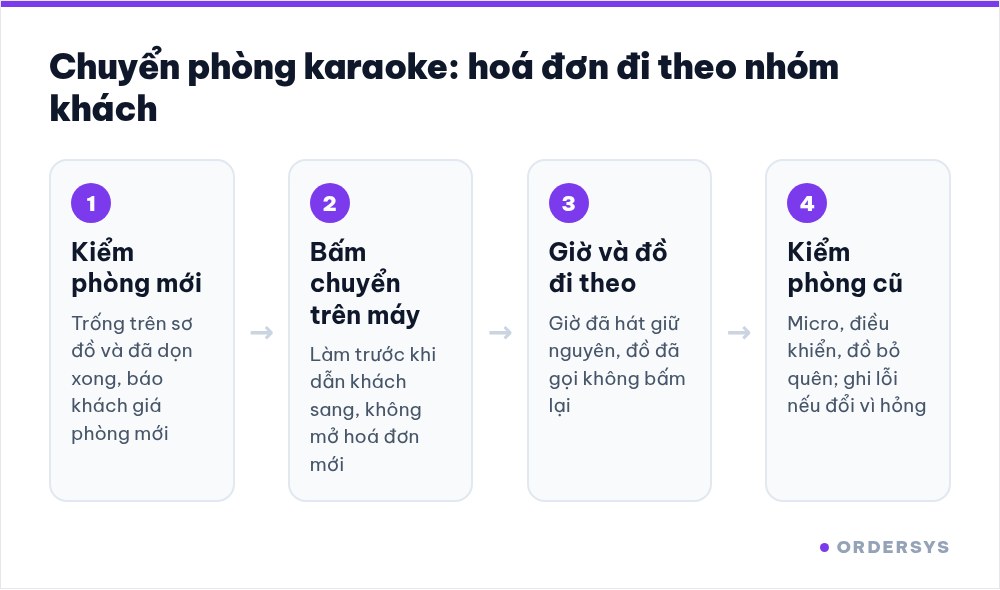
Tell guests the price before walking them to the new room
Most arguments at checkout come from guests not being told in advance. One short sentence is enough: "The past hour is charged at the small room rate, and from now on the large room is charged at the large room rate." If the move falls in peak hours, mention the new room's peak rate right away.
In the software, the time already sung is not recalculated from scratch. The portion that ran in the old room stays as it is, the clock continues in the new room at the new room's rate, and the peak-hour rate still applies automatically when the clock passes the cut-off. That way what staff tell guests matches the figure on the bill.
Five steps to switch rooms without losing money
- Check that the new room is really free. Look at the room map, then still take a peek inside: a room that shows as free but has not been cleaned means the new group will immediately see the previous group's glasses.
- Tap the room transfer on the system first, move the guests second. Doing it the other way round is when things get forgotten most: guests are already sitting in the new room while the old room's clock keeps running, or the new room gets a separate bill opened.
- Carry over what is in use, do not order it again. Opened beer and half-eaten fruit are already on the bill and move with it to the new room. If staff tap them in again, guests are charged twice. Unopened beer cases should be counted again when carried over.
- Check the old room right away. Microphones, remote controls, anything guests left behind. If the switch was due to an equipment fault, write the fault down so it is fixed before other guests are seated there.
- Tell the server of the new room. If staff are assigned by room rows, the person in charge of the new room needs to know what this group has ordered.
Do not let room transfers become a leak
A room transfer touches money, so it can also be misused: guests sit in a VIP room while the system shows them moved to a standard room to charge less. Three simple ways to block it:
- Every staff member has their own account, no shared password, so every action shows who did it.
- Discounting the difference when switching because of a room fault must go through someone with the authority, rather than night-shift staff discounting on their own.
- At the end of the shift, compare the room map on the system with the rooms that actually have guests. A room the system shows as free while its lights are on and music is playing is a problem.
How Ordersys helps
Ordersys karaoke management software shows every room on one map: free rooms, rooms in use, rooms booked in advance. When guests switch rooms, the system moves both the running time charge and the items ordered to the new room; large groups split or merge bills depending on how they pay. Each staff member has an account, and the right to cancel rooms and give discounts is limited per person. Venues can try it free for 7 days. For setting hourly prices for each room type, see the article on hourly rates for VIP rooms, standard rooms and peak hours, and for groups who want to pay separately, read the article on splitting the bill when groups share a room.
Staff take orders on their phones, the kitchen gets them instantly, guests order and pay by QR, owners see revenue remotely.
Other news
Calculating customer lifetime value (CLV) for your shop: what a regular customer is worth
CLV is the money a customer brings in over the whole time they keep coming back. A four-number formula good enough for restaurants, cafés and spas and where to get each number, a trial calculation with assumed figures, using CLV to cap the cost of winning new customers, size offers for regulars and pick which group to focus on, plus three common mistakes.
Guests check their order and order more via QR: fewer "where is our food?" questions
The same QR page guests order from also holds the table's order: the item list, the status of each item, the subtotal and whether it is paid. How statuses appear depending on the kitchen setup, ordering more and calling staff from the same page, and three things to make guests actually use it.
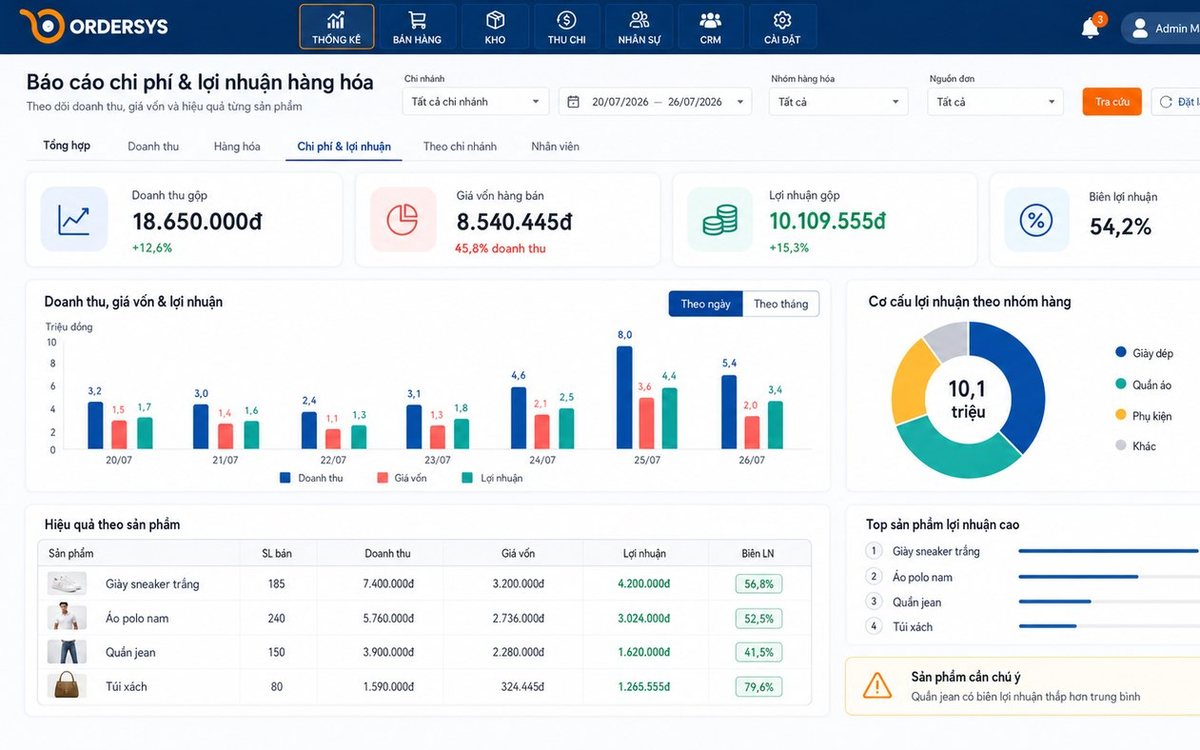
Loyalty points and membership tiers for retail shops: how to set them up without eating your profit
Loyalty points and membership tiers are two different things: each customer has total points that decide the tier and remaining points to redeem, and redeeming never drops the tier. Three ways retail must plan differently from restaurants, four setup steps with a sample tier table, and how it runs at the checkout.
After-sales customer care via Zalo for restaurants and cafés: five occasions and a sample line for each
You don't need many messages, just the right occasions: after a first visit, after a party, when a regular goes quiet, before a birthday and after fixing feedback. Each comes with who to send to, when, and a sample line to adapt to your shop's voice, plus how to run it in fifteen minutes a day.

Which karaoke rooms are busiest by time slot: reading reports to set prices and shifts
Look at two dimensions at once, which room and when, to see which slots are full, which sit empty and which rooms guests really choose. Measure by singing hours, not just revenue, separate weekdays from weekends, then decide hourly rates, server shifts and which rooms to fix.
Guests ordering more rounds during a meal: one bill per table, settled once
Server orders, guests adding items via QR and cashier additions at the counter all go into one open bill for the table. Kitchen tickets print only the new items; at the end, print a provisional bill, split if needed and settle once, with no paper slips to check one by one.
Recording supplier debt when receiving goods: know who you owe, how much and when it is due
Each delivery not paid in full becomes its own debt tied to the purchase receipt, with the delivery note number and due date. Pay in instalments one line at a time with documents, check due debts weekly, and reconcile at month end in minutes.

Selling multi-visit packages at a nail salon: what to include and how to deduct visits without disputes
A nail package should only cover the repeating base service; art, stones and extensions are charged separately each visit. State three things when selling, deduct visits on the ticket, and separate package sales from the value of visits performed.

Revenue reports by shift and by therapist at a massage shop: reading them to staff shifts right
Put the shift closing report, the sales report by room area and the commission report side by side to see which shifts are short-staffed, which are overstaffed, and which therapist should work which shift, then fix next week's schedule.
