



Every billiard club that has been open a while has a group of regulars who finish a session and say "I'll send it next week." The most common way to record that is still a notebook at the counter. After a few months the notebook drifts — handwriting from three different staff, lines where nobody can tell whether the money came in, customers who say they already paid while the entry is still there. The hard part is not remembering who owes money; it is that at the end of the month nobody knows how much is outstanding in total.
The debt entry happens during payment, not in a separate notebook
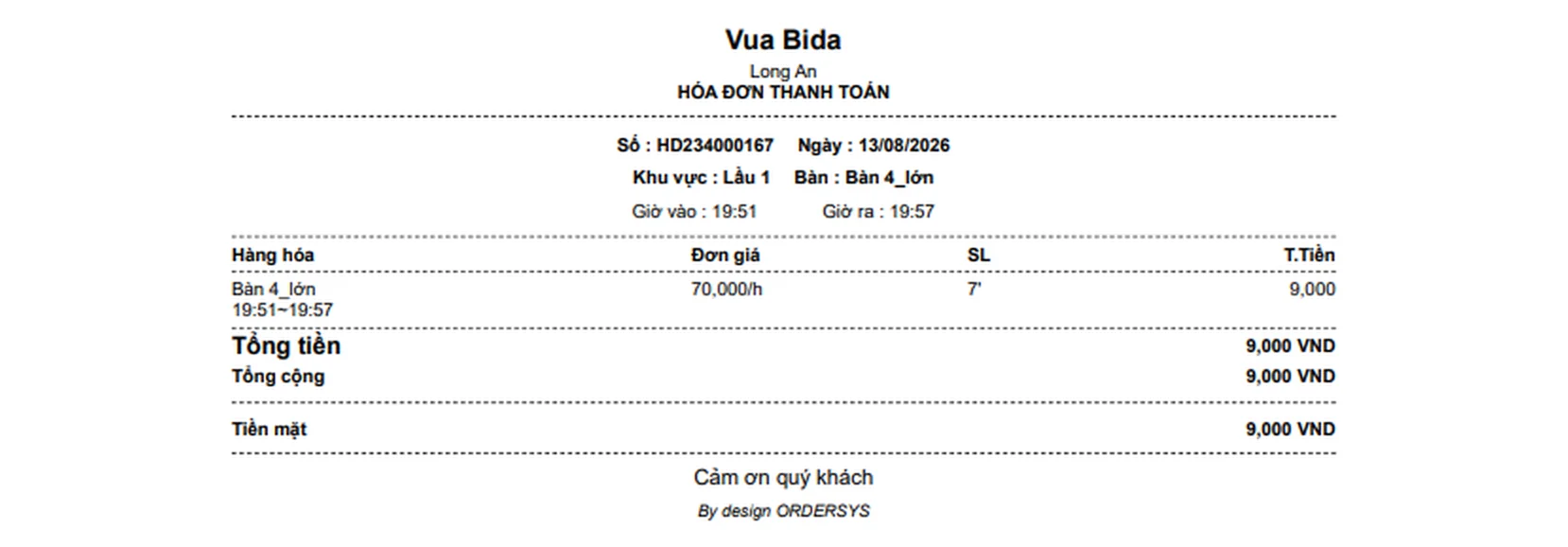
On the Ordersys cashier screen, alongside cash, card and bank transfer there is a record as debt option. Staff close the table as usual: table time, drinks and food add up into one bill, whatever the customer pays is entered, and the rest is recorded as debt. The printed bill carries a dedicated debt line with the amount, so the customer goes home holding the same record.
One thing the software is stricter about than a notebook: recording debt requires selecting a customer who is a club member. No name, no debt entry. It sounds rigid, but this is exactly where rigidity belongs — writing a debt down for "the guy in the blue shirt at table 5" is the most common way money disappears. A regular who wants credit registers as a member once, and from then on every debt lands in one profile.
Revenue is not inflated by money the customer has not handed over
This is what a paper notebook cannot do. When debt is recorded, Ordersys separates two figures: revenue counts only money actually received, while the debt is stored on its own. The daily report does not claim a full take while the cash is still sitting in the debt book. A bill with outstanding debt is also locked and cannot be edited, so nobody tidies up an old ticket after the customer has left.
Each bill carries one of three statuses, so its position is obvious at a glance:
| Status | Meaning | What to do |
|---|---|---|
| Paid | Customer paid in full when the table was closed | Nothing to follow up |
| Partly owed | Paid a little, the rest is outstanding | Follow the remainder, usually easy to collect |
| Owed | Nothing paid on that bill | Call the customer, agree on a date |
The debt report: who owes, how much, how much has been collected
Instead of leafing through a notebook, the owner opens the debt report: pick a date range, or type a customer name or phone number to search. The table lists each bill with the table code, the date it arose, the member name, the phone number, the amount receivable, the amount already collected and the amount still owed. The top corner shows the total debt for the range on screen — the number that nine out of ten owners working from a notebook cannot answer on the spot.
With that list, collecting becomes something you can actually work through: filter the entries that have sat too long, call the phone number already in the profile, start with the largest balances. The software does not make the call for the owner, but it removes the whole job of searching a notebook to find out who to call.
Collections land in the right place, not as loose cash in the drawer
When the customer brings the money, staff open that exact bill and press collect. The collection screen shows the customer name and the remaining balance, then the amount handed over is entered, with a payment method and a note if needed. Collecting part of it moves the bill to partly owed and the remainder keeps being tracked. Entering more than the outstanding amount is blocked by the software.
Along with it come the collection history for each customer — how many times they paid, how much each time, on what date — and a receipt created automatically in the income and expense section every time a debt is collected. That receipt deliberately cannot be edited or deleted, so money handed in does not vanish along the way. At the end of the shift the collected amounts are already in the reconciliation.
A few house rules to set before turning debt entry on
- Only give credit to customers who are already members with a real phone number — the software requires this anyway.
- Set a maximum balance per customer and say so up front, so no single balance gets out of hand.
- Give one person the job of checking the debt screen weekly, rather than opening it at month end.
- When money comes in, collect it on the old bill; do not roll it into a new bill for speed — that is how the trail is lost.
Credit is unavoidable in a club with loyal regulars, but it is only dangerous when nobody holds the total. Once the debt sits in the same system as table time and drinks, the owner knows both the real revenue and how much is outstanding. Have a look at the Ordersys billiard club management software, free for 7 days, and run it for a week with your own group of regulars. Two related articles: closing the night shift at a billiard club and reconciling cash, and managing a chain of billiard clubs from one account.
Ordersys times every table automatically, switches table lights, takes drink orders at the table and reports revenue per shift.
Other news

Massage bookings over Zalo: what to do once the message arrives
A chat message is not yet an appointment. How to move it into the shared schedule: pick the room, the bed and the therapist, read the appointment statuses, and let the software remind the customer before the slot.

Pet shop software: selling supplies and taking grooming bookings on one machine
A pet shop is two shops in one: stock in many pack sizes, and grooming services that need a time slot. How to declare several units of measure, take bookings with a named staff member, and put goods and services on the same bill.
Restaurants with several kitchens and printers: tickets to the right station
Hot kitchen, cold kitchen and bar each with their own printer. Assign product groups to each machine and the system splits tickets by station; choosing IP or USB printers, and where to look when the kitchen loses a ticket.

Tracking seasonal best sellers to update a coffee shop menu
A thirty-item menu where revenue comes from seven or eight drinks. Read the product report by period, set it next to cost, sort items into four groups, and only then decide to keep, push or drop.

Recurring hair care packages and membership cards for salons
A six-session conditioning package and a membership card are two different things, and managing them the same way is where it gets messy. Deduct the session on the ticket, split commission between the lead and the washer, and know how many sessions you still owe.

Managing employment contracts: renewal reminders and employee files
End of probation, contract expiry, documents lapsing — dates that come once per person and slip past easily. One file per employee with documents and expiry dates, and notice before each date arrives.

Prepaid cards and treatment packages for massage guests
A stored-value card is drawn down by service price, a package by session — two different mechanics that need different setups. Deduct in the room, and see both money received and sessions still owed.

Billiards club cameras: matching tickets against table footage
The action history tells you which table, what time, who opened or cancelled; the camera on that same table shows what actually happened. Put the two side by side and a check takes minutes.

Food and drink combos per room for karaoke venues
A fixed set or a combo the guest picks from, ordered as one line instead of five, with kitchen and bar receiving the right items and the combo landing on the same bill as the room time charge.
