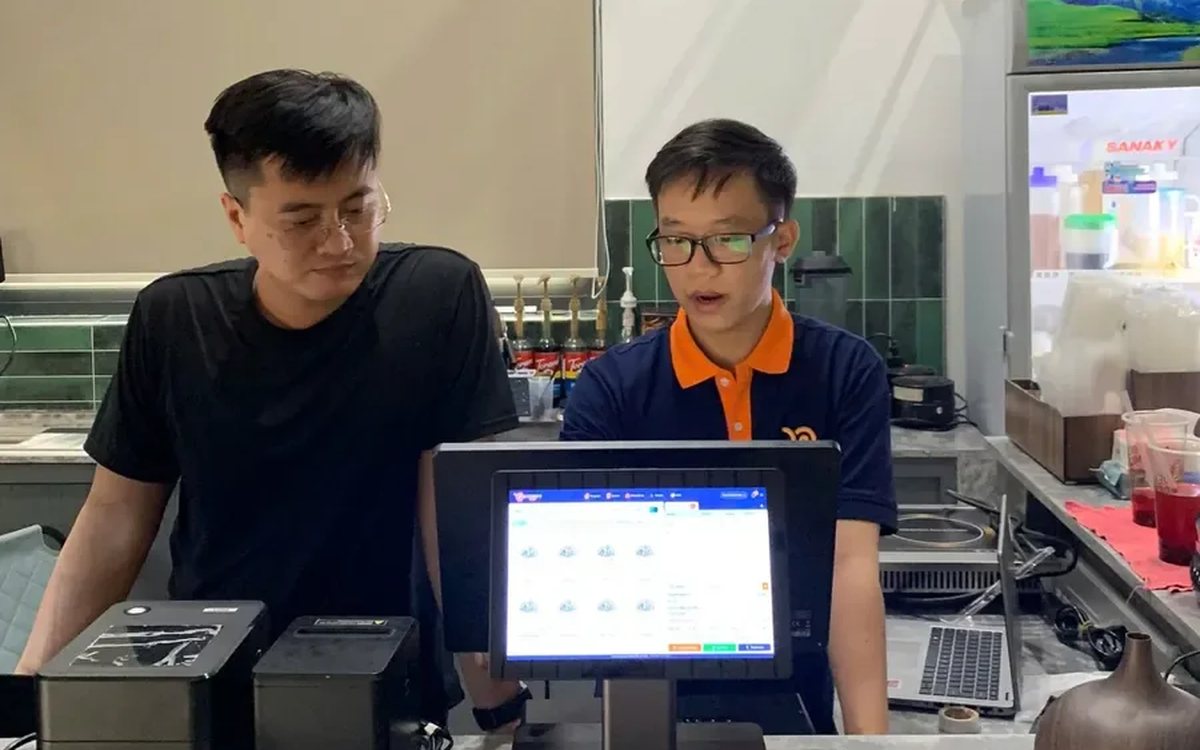
Every coffee shop menu swells over time. A few blended drinks get added for summer, a new item appears because customers kept asking, something sells for a couple of weeks and then goes quiet but stays on the board anyway. Look back later and you have a thirty-item menu where the revenue really comes from seven or eight of them. The rest still take up space in the store room, still have to be remembered as recipes, and still leave new customers hesitating at the counter.
Don't look at total revenue, look at the product report
The product report in Ordersys lists every item sold within the date range you choose: cups, revenue, and share of the total. Pick one month, then pick the same month a year earlier, or compare this month against last — changing the date range on the filter gives you two tables to set side by side.
What matters is not which item is at the top. Anyone who works the counter already knows that. What matters is the bottom of the list and the items that moved sharply between the two periods.
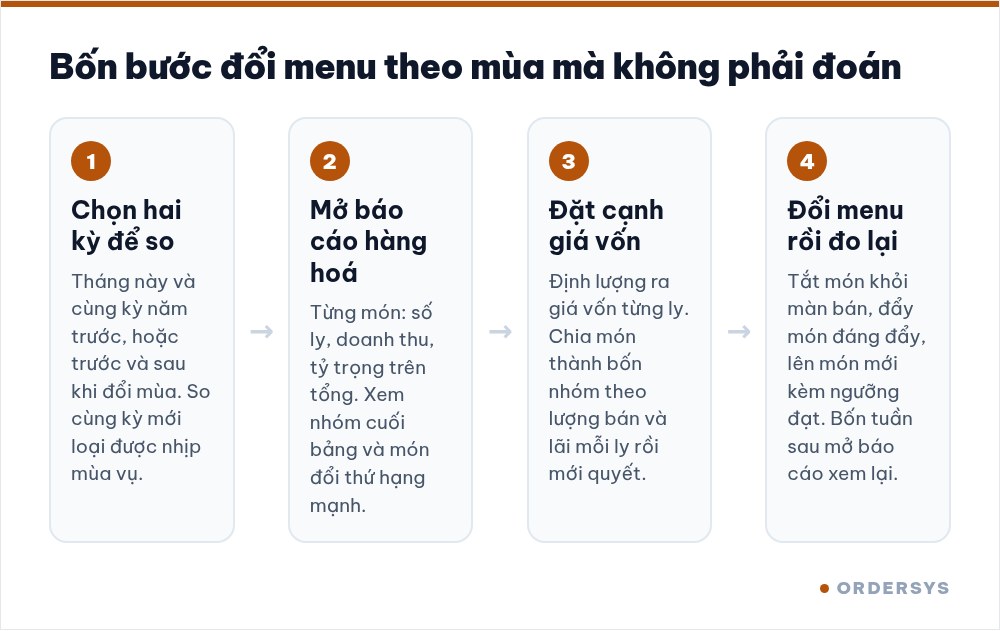
Sort items into four groups before deciding
Cups sold is only half the story. The other half is cost. If the shop has defined consumption per item, each drink has a cost derived from its ingredients; put that next to the selling price and you can see which items actually keep the shop running.
| High margin per cup | Low margin per cup | |
|---|---|---|
| Sells a lot | Protect it: keep ingredients stocked, make sure staff follow the recipe, give it a visible spot on the menu | Review the recipe quantities and the price; it may also be the drink that brings people in, in which case a thin margin is acceptable |
| Sells little | Worth pushing: move it up the menu, have staff suggest it, pair it in a combo with a best seller | A candidate for removal, unless a fixed group of regulars orders it |
An item in the bottom-right box that still needs three or four ingredients of its own is the most expensive item you have: it occupies fridge space, its ingredients spoil waiting, and it sells a handful of cups a month.
For seasons, compare with the same period, not the month before
Coffee shops have a clear rhythm. Blended drinks selling twice as much in May as in February is normal and does not mean the item is on the rise. To know whether an item is genuinely strong or weak, compare it with itself a year earlier, or compare its share of total revenue instead of the raw cup count.
- Weeks of rain pull total revenue down and every item falls with it — that is weather, not a bad drink.
- A new item always sells well for its first three weeks out of curiosity; wait until the second month before concluding anything.
- Hot and iced versions need to be read separately; combined, every season looks "steady".
Dropping an item is more than deleting a line
Before removing one, check what ingredients go with it. A syrup used only in that single drink means dropping the item clears a shelf as well. But if the ingredient is shared with three other drinks, removing it saves nothing beyond a tidier menu.
In the software, instead of deleting outright, you switch the item off on the sales screen. The historical sales data stays for next year's comparison, and when the season comes round you turn it back on in a moment — no re-entering the recipe, the quantities or the price.
Decide how you will measure a new item before you launch it
Adding an item to the menu is the easy part. What gets forgotten is deciding in advance what counts as success. For example: after four weeks it reaches at least 3% of total cups sold, and its margin per cup is no lower than the group average. With a threshold set in advance, you open the report on the date and decide — instead of "let's give it another month" stretching out across a year.
A new item should have its consumption defined from day one as well. Without it you sell a whole season before discovering how much ingredient it eats, and by then the price board is already printed.
The product report, recipe consumption and drink options are part of Ordersys coffee shop management software, free to try for 7 days. Read more: how to work out the cost of a cup of coffee or milk tea and ingredient loss in a coffee shop: how to measure it and where it goes.
Checkout in a few taps, print cup labels with toppings, send drinks to the bar screen and issue e-invoices from the POS.
Other news
Restaurants with several kitchens and printers: tickets to the right station
Hot kitchen, cold kitchen and bar each with their own printer. Assign product groups to each machine and the system splits tickets by station; choosing IP or USB printers, and where to look when the kitchen loses a ticket.

Recurring hair care packages and membership cards for salons
A six-session conditioning package and a membership card are two different things, and managing them the same way is where it gets messy. Deduct the session on the ticket, split commission between the lead and the washer, and know how many sessions you still owe.

Managing employment contracts: renewal reminders and employee files
End of probation, contract expiry, documents lapsing — dates that come once per person and slip past easily. One file per employee with documents and expiry dates, and notice before each date arrives.

Prepaid cards and treatment packages for massage guests
A stored-value card is drawn down by service price, a package by session — two different mechanics that need different setups. Deduct in the room, and see both money received and sessions still owed.

Billiards club cameras: matching tickets against table footage
The action history tells you which table, what time, who opened or cancelled; the camera on that same table shows what actually happened. Put the two side by side and a check takes minutes.

Food and drink combos per room for karaoke venues
A fixed set or a combo the guest picks from, ordered as one line instead of five, with kitchen and bar receiving the right items and the combo landing on the same bill as the room time charge.

Grouping VIP customers so offers reach the right people
Total purchases, remaining points, tier, customer group, outstanding debt, date of birth — the columns already in your customer list are enough to split groups. Tiers handle regulars; vouchers handle the ones who stopped coming.
Printing barcodes and price labels in batches for retail shops
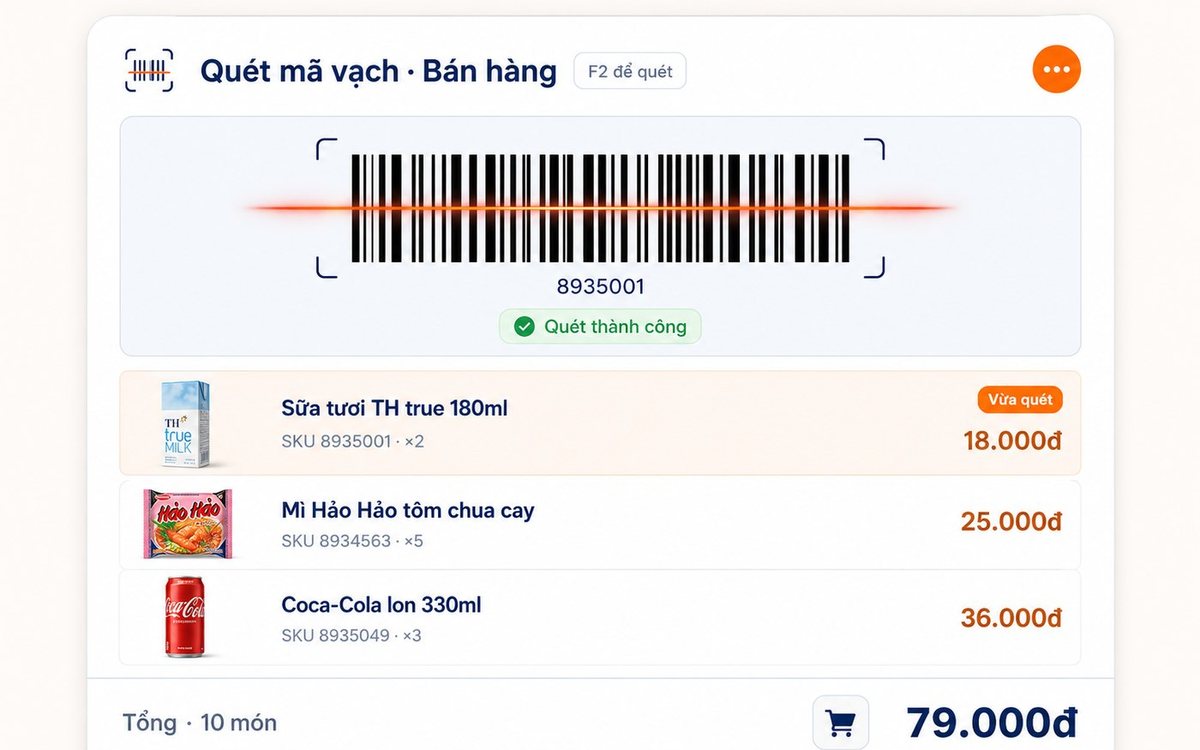
Pick the items, set the paper size and the code standard (Code 128 / EAN-13 / UPC-A), test-print one or two, then run the batch — or print straight from the purchase slip with label counts taken from the quantity received.