



A coffee shop open from six in the morning to ten at night usually runs two shifts. At two in the afternoon the morning staff are in a hurry to leave, the afternoon staff have just arrived and customers are queuing. The whole handover is one sentence: "There's about two million in the drawer." In the evening the drawer comes up short and nobody knows which shift it came from: the morning person says it was fine when they left, the afternoon person says it was already like that. Shift handover is the only moment in the day that separates two people's responsibility. Spend five minutes doing every step and you will not have to trace back through the whole day at closing.
A handover must settle three things
- Money. The cash actually in the drawer against the figure in the system. What stays as change for the next shift, and what is taken out and handed to the owner.
- Unfinished work. Tables still seated and unpaid, takeaway or delivery orders waiting, drinks already paid for but not yet made.
- Notes. Milk, ice or cups running low; a grinder making odd noises; a regular who left something and will come back for it.
Five handover steps in Ordersys
| Step | Who | What to do |
|---|---|---|
| 1. Record every payment slip for the shift | Outgoing staff | Ice, parking, straws bought with drawer cash all need a payment slip before the shift closes. Receipts and payment slips of a closed shift are locked and can no longer be edited or deleted. |
| 2. Count the drawer, enter the actual cash handed over | Outgoing staff, with the incoming staff beside them | The system shows the total cash at shift end. Enter the amount just counted and the software calculates the cash difference. |
| 3. Write the end-shift note and close the shift | Outgoing staff | If the cash does not match, the system asks again because the amount handed over differs from what should be in the drawer. Write the reason if known, then close and print the shift closing slip. |
| 4. Open the new shift | Incoming staff | Enter the opening cash amount exactly as just received, and add an opening note if there is anything to watch. |
| 5. Sign the shift closing slip | Both | Both people sign the printed slip and file it where the owner can check it. |
Ordersys does not let a new shift open while the previous one is still open. If the afternoon shift wants to sell, the morning shift has to close theirs first, so "leave it and sort it out together tonight" is not possible.
What the shift details show the owner
The shift details screen and the printed shift closing slip record:
- Shift code, employee, opening and closing time.
- Opening cash, total cash at shift end, actual cash handed over and the difference.
- Revenue split by payment method: cash, bank transfer, card, debt.
- Receipts, payment slips, returns, discounts, surcharges and the total number of invoices in the shift.
- Opening and end-shift notes.
An owner who is not at the shop can still view the shift history. If a printed slip goes missing, reprint the shift closing slip from the shift details.
A few rules worth posting at the counter
- Fixed opening cash. For example, each shift receives the same amount of change, set by the shop. Anything above that is taken out for the owner with a payment slip. If the opening cash changes every day, discrepancies are very hard to spot.
- Count in front of the incoming person. They see that the amount counted and the amount entered are the same.
- Tables still seated go in the end-shift note so the next shift knows what each table ordered and who served it.
- Record a discrepancy straight away; do not top it up. Staff paying from their own pocket to make it match hide the cause. Small differences that keep repeating on the same shift are the signal to look into.
Where to look once the cash is off, and why a surplus is more worrying than a shortfall: when the coffee shop shift close does not match goes through each cause. Opening and closing shifts, reconciling cash and revenue by payment method are part of the Ordersys coffee shop management software, with a 7-day free trial. Bank transfers are reconciled separately, as described in QR payments in store: how to reconcile without leakage.
Checkout in a few taps, print cup labels with toppings, send drinks to the bar screen and issue e-invoices from the POS.
Other news

Revenue reports by stylist at a hair salon: how to read them fairly
A revenue-by-stylist table is easily read as a ranking, yet stylists on the evening shift, those taking colouring and perming, or shampoo assistants have very different numbers. Where the data comes from, which column answers which question, how to compare fairly, and using the report to finalise commission, assign customers and train staff.
Showing the running total for a billiards table in play: give customers the right number before checkout
When customers ask "how much are we at?" and staff do the sum in their head, the bill at payment often differs and arguments follow. Two ways to see the running total in the software, what the provisional invoice includes, when the number still changes, pausing with a trail, and logging items added after an interim print.

Managing tips for karaoke room servers: recording and sharing them transparently
Karaoke guests tip in cash, by adding to the bill or by overpaying a transfer. The last two pass through the venue's fund, and if nobody records them, suspicion follows. Three kinds of tips and where the money sits, individual or pooled tips, recording tips at payment, and paying them out at shift end transparently.

Duplicate customers in your list: how to merge them without losing history
One customer with three profiles means points split three ways, never reaching a higher tier, and reports counting them as new customers. Five sources of duplicates, the signs to look for, how to merge while keeping purchase history and loyalty points, and counter habits that stop duplicates from the start.

Booking deposits for nail salons in peak season: who to ask, what to say, where the money goes
In peak season, every missed booking wastes a prime time slot of your best technician. Which bookings need a deposit and which do not, three things to say when you take one, which technician it holds, and how the deposit moves through the software so the cash fund still matches at the end of the day.
QR digital menu: change prices and hide sold-out dishes without reprinting
A QR menu can change right away without reprinting, but you need the right switch. Three ways to stop customers ordering a dish by QR, whether a price change affects dishes already ordered, what the kitchen's Sold out button really does, and a three-step routine for busy hours.

Tracking spa appointment status: arrived, late or cancelled
The hard part of spa appointments is not writing them down but knowing what state each one is in right now. Six statuses and what reception should do at each, how to handle no-shows, and how to cancel and undo bookings while deposits still match the cash book.

Transferring a billiard table: keep time played and items ordered, charge each table correctly
Guests switching tables mid-session is routine at a billiard hall. Press Transfer table and the time played closes at the old table's price, further time runs at the new table's price, and ordered items travel with the bill. This article shows how the bill looks, when a transfer is not possible and where the owner can review it.
Pharmacy and grocery software: barcodes, expiry dates, fast selling
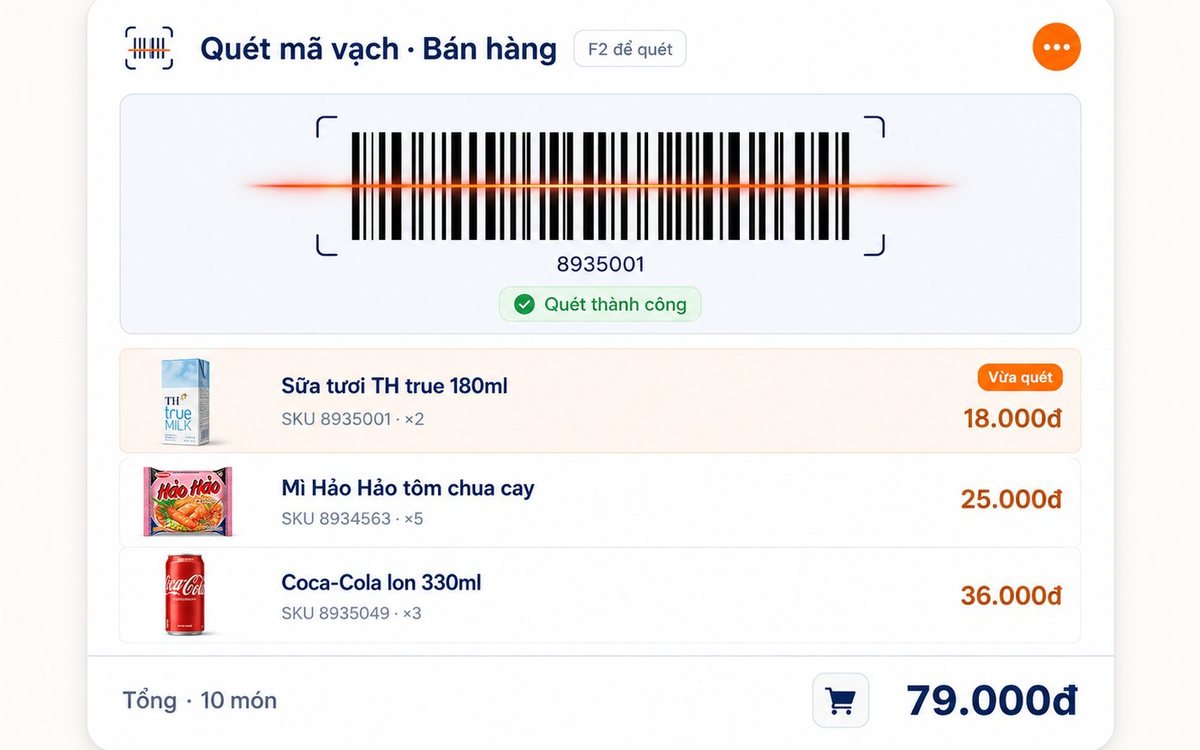
Pharmacies and grocery shops struggle the same way: many items, small values, a customer waiting, and stock with expiry dates. Barcode selling, lot and expiry travelling with the goods from receipt, case-to-box conversion, stock levels — and one point pharmacies should ask about before choosing software.
