



Ten minutes to ten. Ms Mai has a scalp and hair treatment booked at ten, the bed is ready, the therapist is waiting. Is she on her way, or has she forgotten? The receptionist flips through the book, finds one line that says "10am Ms Mai" and learns nothing more. The hard part of appointments is rarely writing them down. It is knowing what state each one is in right now, so you can call the right person and release the bed at the right time.
Six statuses, one job for reception at each
On the Ordersys appointment screen, each booking carries a status and its own colour. The value lies in the fact that each status points to something to do:
| Status | What it means | What reception should do |
|---|---|---|
| Booked | The booking is in the system and its time has not come | For long services, call or message to confirm in advance |
| Coming up | The appointment time is getting close | Prepare the bed, tell the therapist |
| Customer arrived | The customer has come and been checked in | Open the order; the booked services carry over |
| Late / no-show | The time has passed and there is no sign of the customer | Call the customer, decide whether to hold or release the bed |
| Cancelled | The booking is no longer valid | Offer the freed slot to another customer |
| Completed | The service is finished | Nothing further to do |

View by day, week, month or list
The data is the same, but each view serves a different job:
- By day: bookings arranged by bed, room and time. Reception uses this screen all day to see which beds are free and which bookings are pending.
- By week, by month: the owner can see which days are packed and which still have room, and plan shifts or offers accordingly.
- List: useful for going through bookings one by one, for example confirmation calls for tomorrow.
Bookings accepted but not yet assigned a bed are gathered in a separate list. This is what most often slips through at busy times: you say yes to a customer on the phone, plan to assign a bed in a moment, and then forget.
When customers do not show: let the software remind you
The settings include a parameter for overdue bookings: the booking flashes to draw attention and cancels itself if the customer has still not come after the number of minutes the venue sets, with an overdue reason attached. That way a bed is not held indefinitely just because nobody remembered.
How many minutes to set is up to each venue: long services are usually held longer, busy time slots for less. What you should do is state the holding time clearly when accepting the booking, so releasing the slot does not turn into an argument.
Cancellations, undo and deposits
- Cancellations come with a reason. There is a field for the reason when cancelling. Reading these back shows whether customers cancel because they changed their mind, had a clash, or waited too long last time.
- Deposits are recorded on the booking. A booking has a deposit field and a payment method of cash or bank transfer. When the customer arrives, the deposit carries over to the order and counts at payment.
- Cancelling a booking with a deposit keeps the cash book balanced. The software creates a refund payment voucher, so the end-of-day cash is not thrown off by a cancelled booking.
- A mistaken cancellation can be undone. A parameter allows undo within a period the venue sets. After undoing, the booking returns to how it was and the refund voucher is removed too.
One thing to know: bookings customers make themselves by QR currently take no deposit. To hold a slot with a deposit, the customer transfers the money to the venue and reception records it on the booking.
At the end of the week, look at the counts
Open the week view and read two numbers: Late / no-show and Cancelled. If they rise, look at where they fall. If they fall on new customers, consider asking that group for a deposit. If they fall on busy time slots, consider shortening the holding time in those slots. A paper book does not give you these numbers, because in a book an abandoned booking is just a line crossed out.
Appointments by status, bed and room assignment and deposit recording are part of Ordersys spa management software. You can try it free for 7 days: enter a few real bookings for tomorrow and let reception use it alongside the book for a day, and the difference will be clear.
Further reading: Customers who book a spa and do not come: what it costs and how to reduce it if your venue has many no-shows; and Scheduling a spa by bed and therapist so bookings do not clash from the moment you accept them.
Manage appointments, session-based treatments, client records and technician commissions in one app.
Other news
QR digital menu: change prices and hide sold-out dishes without reprinting
A QR menu can change right away without reprinting, but you need the right switch. Three ways to stop customers ordering a dish by QR, whether a price change affects dishes already ordered, what the kitchen's Sold out button really does, and a three-step routine for busy hours.
Transferring a billiard table: keep time played and items ordered, charge each table correctly
Guests switching tables mid-session is routine at a billiard hall. Press Transfer table and the time played closes at the old table's price, further time runs at the new table's price, and ordered items travel with the bill. This article shows how the bill looks, when a transfer is not possible and where the owner can review it.
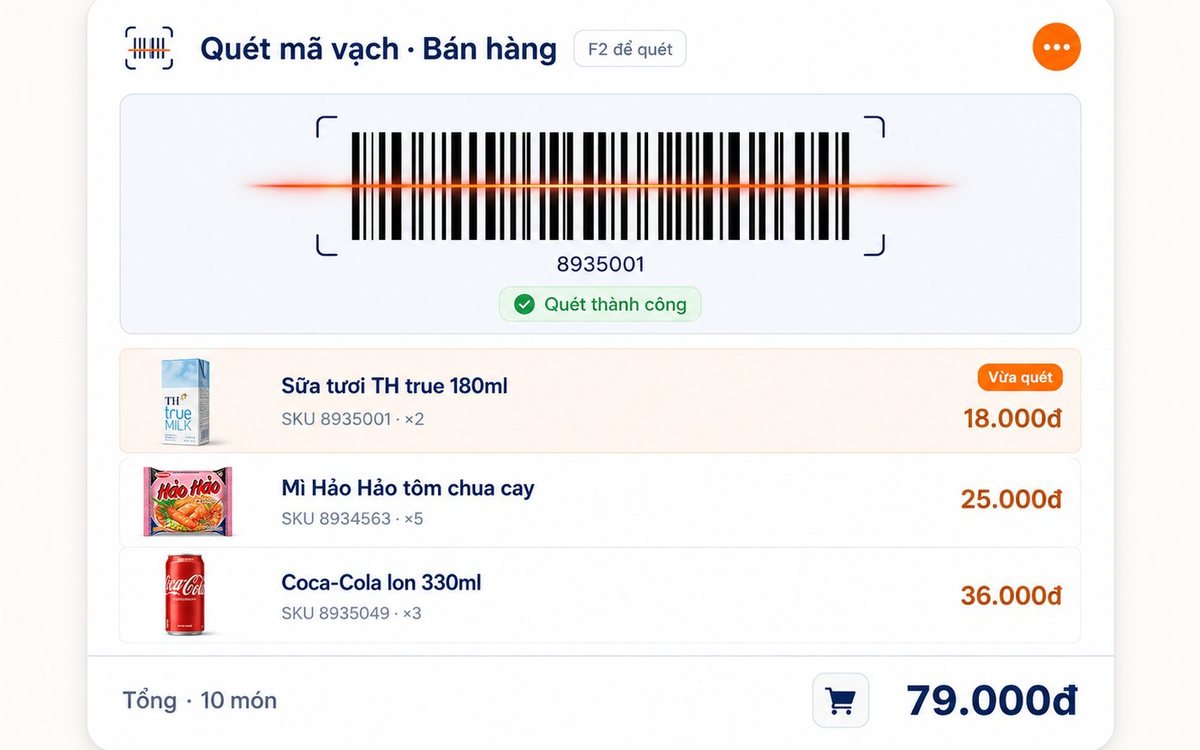
Pharmacy and grocery software: barcodes, expiry dates, fast selling
Pharmacies and grocery shops struggle the same way: many items, small values, a customer waiting, and stock with expiry dates. Barcode selling, lot and expiry travelling with the goods from receipt, case-to-box conversion, stock levels — and one point pharmacies should ask about before choosing software.

Paying part-time staff by the hour in restaurants and coffee shops
Monthly salary does not fit part-timers on four or five-hour shifts with a roster that changes weekly. The four things to set up properly — shifts, attendance, the hourly rate, the closing cycle — and why worked hours must come from attendance rather than from the roster.
Massage shops: booking rooms, beds and therapists without overlaps
Two customers on one bed is the kind of mistake that loses guests quietly. The three sources of overlap in a massage shop, how the software blocks bed conflicts using start time plus duration and a buffer on both sides, what the machine guards and what people still have to, and four rules to agree on before switching on.

Bakery management software: production recipes, expiry dates and cakes ordered for a pickup date
A bakery is a small workshop stuck to a shop, so software that only sells still leaves the owner guessing how much flour went into a batch. Declare baked goods as produced items with recipes, sponge and cream as semi-finished goods, receive materials by lot with expiry dates, sell at the counter with barcode labels, and keep every advance cake order in one place.

Software for a hotpot and grill house: building the menu, splitting the kitchen, what to set up before you open
Guests order five or six rounds over two hours, the kitchen runs three stations, and tables turn over once or twice a night. Those three traits decide what to configure in the first week: hotpots and broth flavours as attributes, meat plates by recipe quantity, buffet seats, kitchen and bar printers by product group, advance bookings with a code, and closing the shift at night.
Filling off-peak hours with student groups: attach the offer to the person, not just the hour
Cutting the price for a whole afternoon band also discounts the people who were coming anyway. To aim at the group you are missing, the offer has to attach to a person: membership cards and tiers, three preset rates — Regular, Student, Other — and a capped group combo limited by weekday and time window. Plus three guards so the discount does not leak.

HRM software for restaurant and cafe chains: splitting the work with each outlet
By the third location, three Excel files on three computers no longer answer how many people the chain employs or what it spent on staff last month. One shared record that travels with the person, a table splitting duties between owner and outlet manager, permissions by store, rules configured per branch, and labour cost broken out by outlet.
