



At the end of the month, the salon owner opens the revenue-by-stylist table: Tuấn is at the top, Mai is almost half lower. The easy conclusion is that Tuấn is better, so he should get new customers first and a bigger bonus. But Tuấn works the evening shift, the busiest hours, takes most of the high-priced colouring and perming clients and always has a shampoo assistant with him. Mai works mornings, mostly quick cuts for regulars. The numbers in the report are not wrong; read as a ranking, though, they easily skew decisions about assigning customers, bonuses and keeping staff.
Where revenue by stylist comes from
Every per-stylist number starts on the service ticket. When the ticket is created, each service is tagged with the stylist who does it, and one invoice can have both a main stylist and an assistant. Tag correctly at that moment and the month-end report is right. If the receptionist leaves it blank or picks the wrong person because they are busy, both the revenue table and the commission table are wrong with it.
From those tagged lines, Ordersys produces two reports:
| Report | What it shows |
|---|---|
| Commission report | Line by line: employee, commission category, invoice number, service with the commission level applied, quantity, amount, commission and payment date. Filter by employee or by service. |
| Employee report | Grouped by stylist: total revenue, total returns, commissionable revenue and commission. Tap a stylist's name to see each invoice: which customer, which service, how much. |
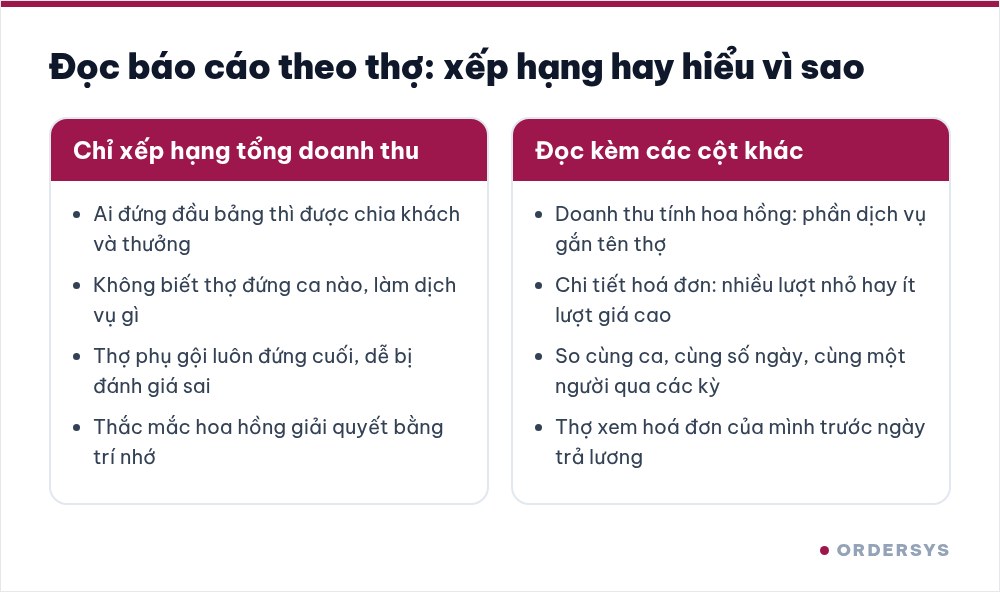
Do not compare total revenue alone
Each question an owner asks should be read in a different place on the report:
| Question | Where to look |
|---|---|
| Who brings in the most service revenue? | The commissionable revenue column, because one invoice can involve several stylists |
| Many small jobs or a few high-priced ones? | Tap the stylist's name and check the number of invoices and services in the details |
| Who tends to take which service? | The commission report, filtered by service |
| Were there any returns or refunds? | Each stylist's total returns column |
Two stylists with the same revenue, one doing thirty cuts and the other five colouring sessions, need completely different help to grow. The first needs more customers. The second needs less idle chair time between long sessions.
Comparing fairly
- Same period, same number of working days. Do not compare the monthly total of someone who took a week off or started mid-month with someone who worked every day.
- Same shift. Evening shifts and weekends are busier than weekday mornings. Compare evening stylists with each other, morning stylists with each other.
- Separate main stylists and assistants. A shampoo assistant having low commissionable revenue fits the role; it does not mean poor work.
- Compare one person over several periods. Change the date range on the report to compare this month with last month for the same stylist. An unusual drop deserves more attention than where that person ranks in the salon.
What to use the report for
- Finalise commission before payday. Each stylist's commission is calculated using the formula the salon has set. Let stylists see their own invoice details before payday so questions are settled with data, not memory.
- Assign new customers sensibly. Read the report together with the chair schedule: the stylist with the most free hours in busy slots should get more new customers, not necessarily the one at the top of the table.
- Train where it matters. Filter by service to see whether colouring and perming are concentrated on one or two people. If that person is off, the salon loses a whole high-priced service line.
- Export the data. The report can be exported to Excel if the accountant needs to build a separate payroll sheet.
One habit helps a lot: every evening before closing, the receptionist quickly checks the day's tickets for any line without a stylist. Five minutes each evening saves a whole afternoon of checking at month end.
The employee report, commission report and chair-based schedule are all part of the Ordersys hair salon management software, with a 7-day free trial. Read more: how to calculate commission for nail, hair and spa staff: 4 formulas, and managing bookings by stylist at a premium hair salon.
Manage appointments, session-based treatments, client records and technician commissions in one app.
Other news

Coffee shop shift handover: closing the shift, reconciling cash and taking over cleanly
A rushed handover of one sentence, "there's about two million in the drawer", means that when the cash is short at night nobody knows which shift it came from. Three things to settle at handover, five steps to close and open a shift in the software, what the shift details show the owner, and a few rules worth posting at the counter.
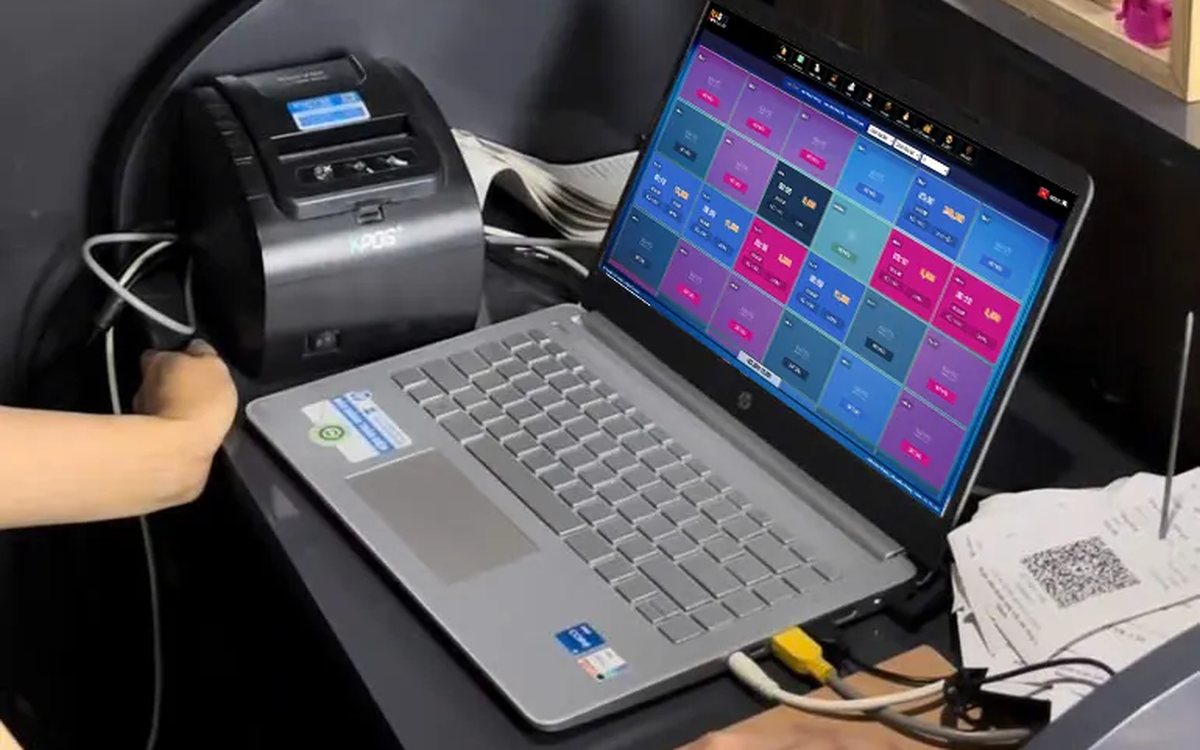
Showing the running total for a billiards table in play: give customers the right number before checkout
When customers ask "how much are we at?" and staff do the sum in their head, the bill at payment often differs and arguments follow. Two ways to see the running total in the software, what the provisional invoice includes, when the number still changes, pausing with a trail, and logging items added after an interim print.

Managing tips for karaoke room servers: recording and sharing them transparently
Karaoke guests tip in cash, by adding to the bill or by overpaying a transfer. The last two pass through the venue's fund, and if nobody records them, suspicion follows. Three kinds of tips and where the money sits, individual or pooled tips, recording tips at payment, and paying them out at shift end transparently.

Duplicate customers in your list: how to merge them without losing history
One customer with three profiles means points split three ways, never reaching a higher tier, and reports counting them as new customers. Five sources of duplicates, the signs to look for, how to merge while keeping purchase history and loyalty points, and counter habits that stop duplicates from the start.

Booking deposits for nail salons in peak season: who to ask, what to say, where the money goes
In peak season, every missed booking wastes a prime time slot of your best technician. Which bookings need a deposit and which do not, three things to say when you take one, which technician it holds, and how the deposit moves through the software so the cash fund still matches at the end of the day.

QR digital menu: change prices and hide sold-out dishes without reprinting
A QR menu can change right away without reprinting, but you need the right switch. Three ways to stop customers ordering a dish by QR, whether a price change affects dishes already ordered, what the kitchen's Sold out button really does, and a three-step routine for busy hours.

Tracking spa appointment status: arrived, late or cancelled
The hard part of spa appointments is not writing them down but knowing what state each one is in right now. Six statuses and what reception should do at each, how to handle no-shows, and how to cancel and undo bookings while deposits still match the cash book.

Transferring a billiard table: keep time played and items ordered, charge each table correctly
Guests switching tables mid-session is routine at a billiard hall. Press Transfer table and the time played closes at the old table's price, further time runs at the new table's price, and ordered items travel with the bill. This article shows how the bill looks, when a transfer is not possible and where the owner can review it.
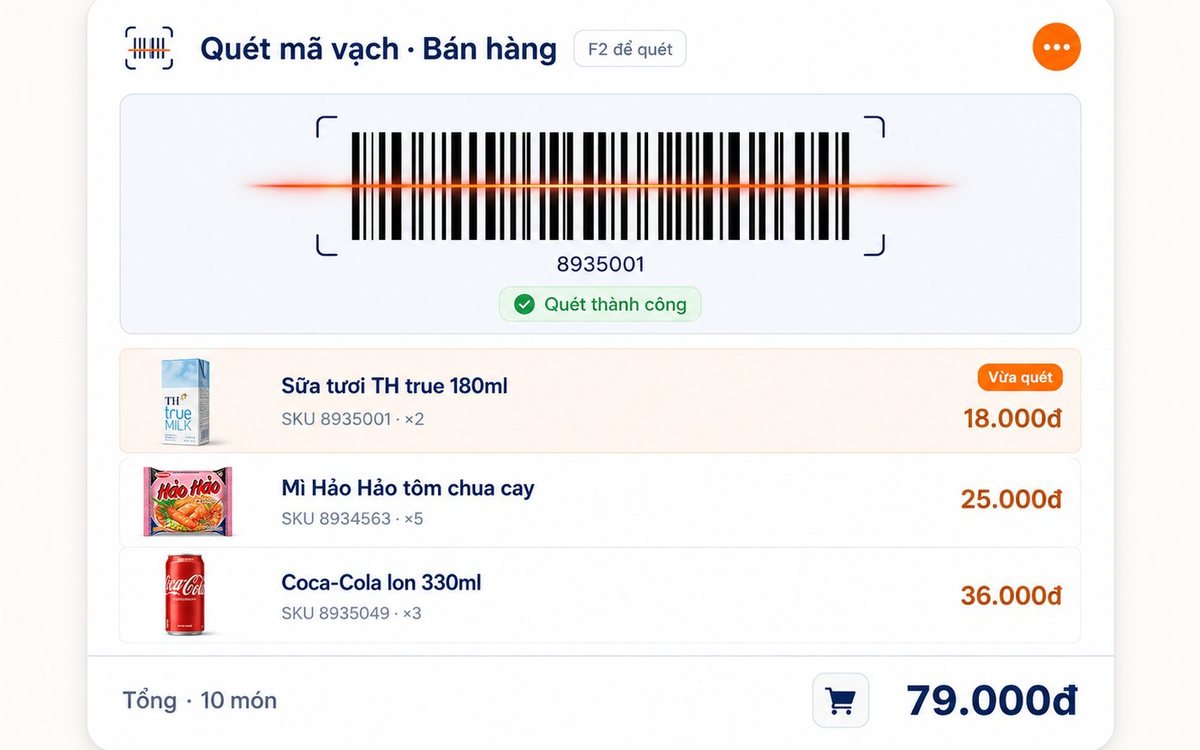
Pharmacy and grocery software: barcodes, expiry dates, fast selling
Pharmacies and grocery shops struggle the same way: many items, small values, a customer waiting, and stock with expiry dates. Barcode selling, lot and expiry travelling with the goods from receipt, case-to-box conversion, stock levels — and one point pharmacies should ask about before choosing software.
