



A flower shop is nothing like a grocery store, even though both are retail. Most of the revenue does not come from people walking in to pick something off the shelf, but from orders booked in advance: a birthday tomorrow afternoon, a grand opening at 7 a.m., a wedding at the weekend. Stock spoils in two or three days. And a sizeable share of the money sits with regulars — restaurants, hotels, event companies — who order a dozen times a month and settle in one transfer. Those three traits decide what a flower shop needs from its software.
Advance orders: delivery date, delivery time and the card message live in the order
The appointment notebook is the first thing to break. Whoever takes the call scribbles in a corner of the page, the delivery rider cannot read it, and the message meant for the card ends up on someone else's bouquet. A safer way is to put every booking in one single place the moment it is taken — the shop's own online store where customers order themselves, or a staff member opening that same page to order on their behalf when a customer phones in. The order then cannot be submitted unless the fields below are filled.
| Field in the order | Why a flower shop needs it |
|---|---|
| Delivery date and time | Both are required. An hour early at a grand opening ruins the moment; fifteen minutes late at a wedding does the same. |
| Pickup or delivery | Marked on the order itself, so whoever plans the morning runs does not load bouquets the customer is coming to collect. |
| Province / district / ward and street address | Separate fields mean nobody leaves the ward out; the delivery fee goes straight on the order, so there is no argument at payment. |
| Order note | Where the card message goes word for word, along with the recipient's name and any request about colours. |
| Invoice details | Corporate buyers tick the invoice box and fill in the company name and tax code at the time of ordering. |
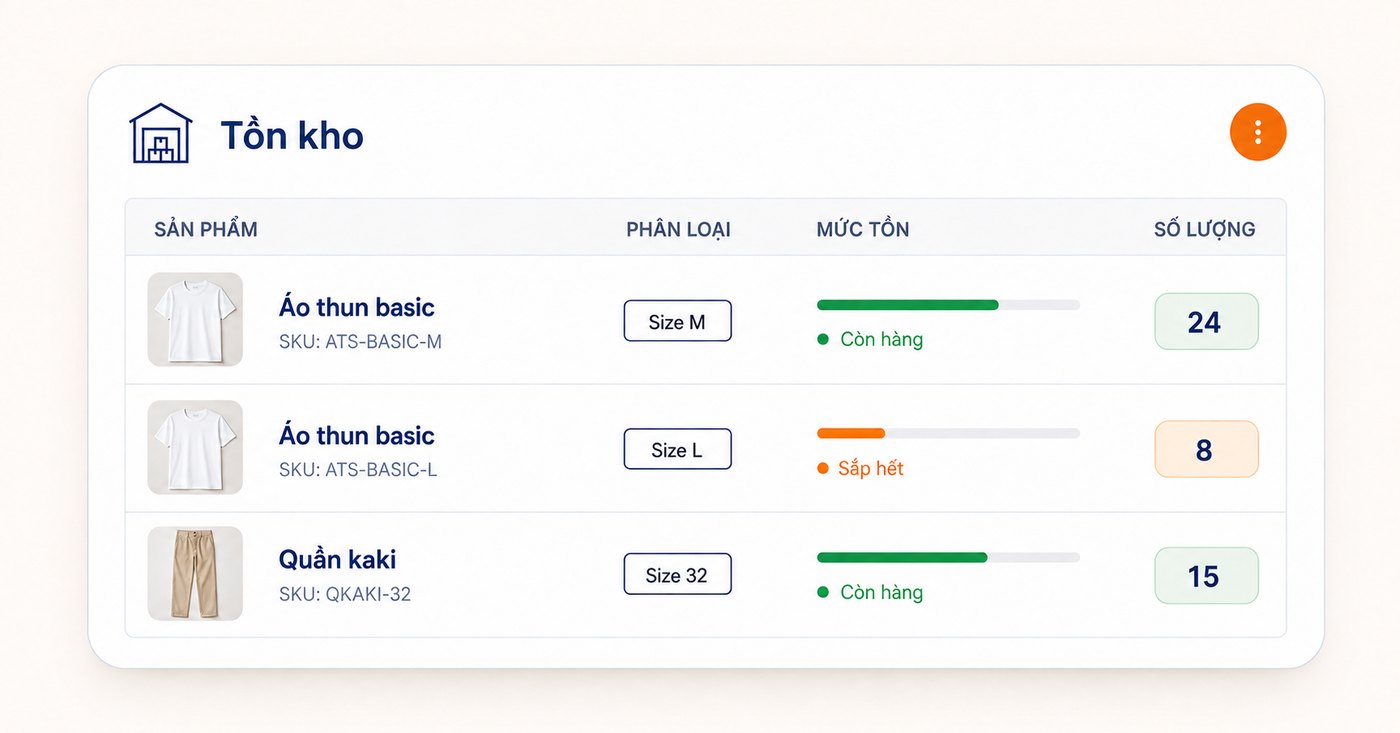
Open the terminal in the morning and see exactly today's deliveries
Taking the order is only half the job; the other half is remembering it on the day. The order screen at the counter filters by today's delivery date by default, so opening it in the morning gives the list of work straight away. To look further ahead, pick another date or a date range — handy before 8 March, 20 October or Valentine's Day, when you need to know how many orders a peak day already holds before committing to a flower purchase.
- Filter pickup orders separately from deliveries, and split the work between the person at the counter and the person on the bike.
- Search by customer name or phone number when someone calls back about their order.
- Confirm the order once the design is agreed; a cancelled order must carry a reason, so at month-end you can read back why customers walked away.
Sold by the stem or by the bunch, received by dated lot
Flowers come in by the bunch but go out by the stem, then get assembled into baskets and arrangements. Each item can carry a small unit and a large unit with a conversion factor, so receiving one bunch of roses adds the right number of stems to stock and selling three stems deducts exactly three — no mental arithmetic, and the cost per stem comes out right as a result.
For perishable goods, receiving by lot with a date is the cheapest way to know which lot to move first. The approach is the same as a mother and baby store managing goods by lot and expiry date; the only difference is that a flower's life is measured in days rather than months. Flowers still fresh but past their best are marked down or folded into baskets — as long as it is recorded rather than quietly vanishing from stock.
Wholesale on credit: tracking debt and reminding before it falls due
Restaurants take table flowers daily, hotels change the lobby display weekly, event companies take one big batch and pay later. Those orders are booked as debt per customer and added up into a single figure; the system sends a notification when a debt is approaching its due date and when it has passed, which can be switched on or off and set to repeat after a chosen interval. Chasing payment turns from "the owner is too awkward to call" into a task with a schedule.
After the holiday rush, sit down with the numbers
After 20 October or 8 March, the question worth money is not how much you sold but what you sold that actually left something behind. The profit-by-item report shows which flowers sell well but earn thin margins because of wastage, and which move slowly yet almost never spoil. A few figures like that are enough to buy differently next season.
Ordersys builds retail software for small shops and chains: counter sales, stock by converted units and by lot, credit for regulars, advance orders from the shop's own online store, and profit reports by item. See the details on the retail software page and try it free for 7 days.
Read more: a grocery store selling both wholesale and retail: credit and per-customer pricing · pet shop management software.
Sell by barcode, track stock across units, manage debts and see profit every day.
Other news

HRM software for restaurant and cafe chains: splitting the work with each outlet
By the third location, three Excel files on three computers no longer answer how many people the chain employs or what it spent on staff last month. One shared record that travels with the person, a table splitting duties between owner and outlet manager, permissions by store, rules configured per branch, and labour cost broken out by outlet.

Managing massage therapist shifts without padded hours
A handwritten timesheet leaves nothing to check at month-end, so it gets signed anyway. Declare shifts in advance, clock in on a branch-tied QR device, then set hours beside the session count for that shift — three common discrepancy signals and how to go from timesheet to hourly payroll.
Pizza shop software: choose-your-own toppings, dine-in and delivery
A dozen pizzas on the menu, but size, crust and toppings push it to several hundred combinations — and the shop sells three channels at once. How to declare attributes, variants and topping groups once, run all three channels on one system, deduct ingredients by recipe, and what not to expect from the delivery side.

Reports on which billiards tables are busy by hour, for staffing shifts
How many staff for a Friday night, and is the table at the back worth keeping — two questions answered by reports, not instinct. The revenue-by-table screen lists even the zero tables, per-table detail carries invoice timestamps, plus three charts for reading hour bands and four things to do after reading them.
Assessing staff productivity by sales and hours worked
The highest sales figure is not necessarily the strongest performer — you still have to divide by hours worked. The two numbers you need first, three ways to turn them into productivity, three rules for comparing like with like, what to measure for roles with no sales, and why criteria must be announced before money is attached.

Per-dish gross margin in a restaurant: making the number trustworthy
What the gross margin on a plate includes and excludes, two ways to get cost into the software (a cost price field or ingredient recipes), four places the number goes wrong, and why you must multiply margin by plates sold to see which dish really feeds the restaurant.
Bubble tea chain management software: open the second shop without starting over
Opening a second bubble tea shop: import the menu from a file instead of retyping it, declare the four option groups and the recipes so the drink stays the same, use a price list for per-location price differences, then read reports combined and split by branch.

Massage bookings over Zalo: what to do once the message arrives
A chat message is not yet an appointment. How to move it into the shared schedule: pick the room, the bed and the therapist, read the appointment statuses, and let the software remind the customer before the slot.

Pet shop software: selling supplies and taking grooming bookings on one machine
A pet shop is two shops in one: stock in many pack sizes, and grooming services that need a time slot. How to declare several units of measure, take bookings with a named staff member, and put goods and services on the same bill.
